
For a natural conversation
Often the best choice for interviews and customer stories, where you want people to describe their experience in their own words.
Video production company in Melbourne, Australia.
If your video needs a presenter to deliver a prepared script, an autocue can help. We’ll help you choose a setup that suits the script, the presenter and your filming schedule.

Our usual recommendation
It gives the presenter the full script in front of the lens and fits into a compact camera setup.
For a long script, several presenters or a tight filming schedule, we may recommend a professional prompter with a dedicated operator. We include the operator in the quote.
The main question is whether the presenter needs to follow a script or speak in their own words. From there, we consider the script length, their experience and the time available for filming.
Often the best choice for interviews and customer stories, where you want people to describe their experience in their own words.
A compact setup for a presenter speaking to camera with a short or straightforward script.
An operator follows each presenter’s pace and manages the script throughout the shoot. Useful for long scripts, several speakers or a tight schedule.
If you’re using an autocue, write the script as you’d say it aloud and give the presenter time to practise. Set the scrolling speed to match their speaking pace.
An autocue, also known as a teleprompter, displays the script on glass positioned in front of the camera lens. The presenter can read while continuing to look directly into the camera.
It removes the need to memorise every line and helps keep approved wording consistent across takes. For a natural delivery, focus on writing the script for speech and allow time to practise.
For interviews and testimonial-style videos, a fully written script can make the speaker sound less like themselves. We often work from questions, themes or key points and edit the responses into the finished story.
A compact iPad autocue suits many corporate shoots where a presenter needs to speak directly to the viewer. We fit it to the camera, load the script before filming and adjust the scrolling speed to suit the presenter.
This works well with one or a few presenters, a reasonably short script and a straightforward camera setup. The presenter can concentrate on speaking to the viewer with the words there when they need them.
If the script is very long, changes repeatedly during the shoot or needs close attention throughout every take, a dedicated operator can be the more efficient choice.
A professional prompter comes with a dedicated operator who controls the scrolling text. They follow the presenter’s pace, pause when needed and return to the right line for another take.
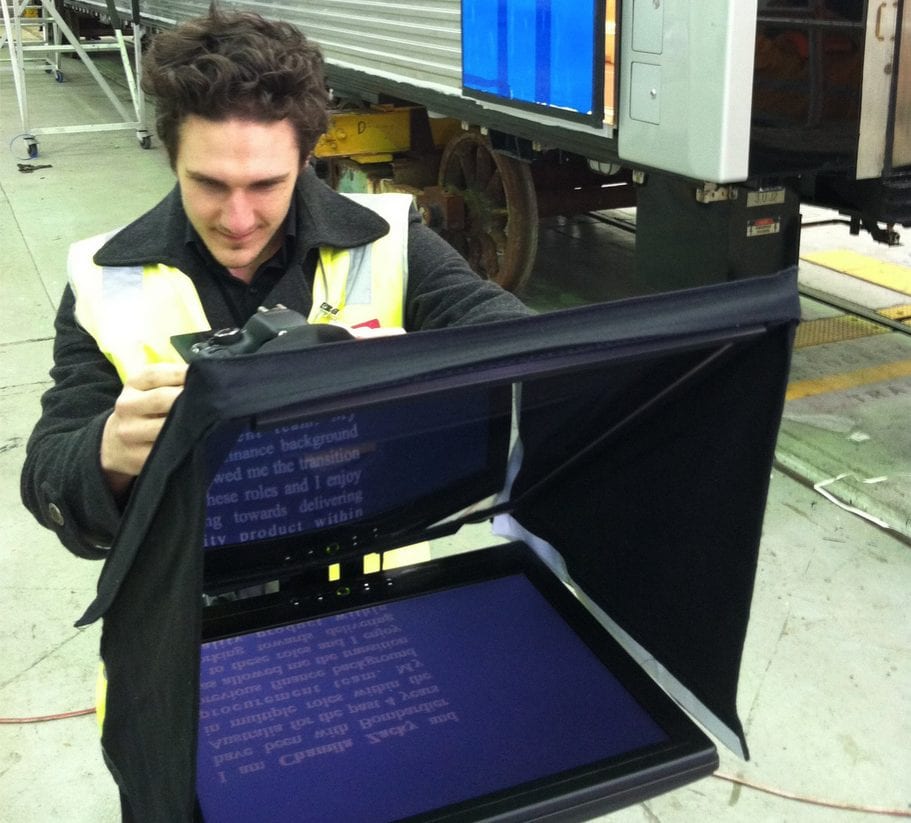
The operator and equipment add to the cost and setup time. We’ll discuss this during pre-production and explain why we recommend it for your shoot.
We allow time to assemble the autocue, load the script and check that the presenter can read it comfortably. A professional system also needs an operator and may need more space around the camera.
We test the scrolling speed and record a practice take before filming. You can stop, take a breath and repeat a section whenever you need to. We can film the script in sections and join the takes during editing.
An autocue takes away the pressure of remembering every line. The wording, scrolling speed and time spent rehearsing all affect how comfortable the presenter feels.
Read the script aloud before the shoot. You’ll hear which sentences need shortening and which words feel awkward to say.
Simplify anything that feels awkward to say and use shorter, more natural sentences.
Check names, technical terms and unusual pronunciations before filming.
Finalise the wording wherever possible and provide the script in an editable format.
Practise aloud so you’re familiar with the wording and know where to pause. You don’t need to memorise it.
It doesn’t have to. Use words you’d normally say, practise aloud and set the scrolling speed to a comfortable pace. If you find reading a script difficult, we can discuss filming an interview instead.
No. An iPad autocue is enough for many straightforward presenter shoots. We may recommend an operator for a long script, several presenters or a tight schedule.
Yes, we can make small changes on the day. It helps to get the script approved beforehand, as repeated changes take time and give the presenter more to learn during the shoot.
No. Read it aloud beforehand so you understand the message and feel comfortable saying it. The autocue will be there to help you follow the wording.
Yes. We allow time to load the relevant script and find a suitable pace for each person. For a busy shoot involving several presenters, a professional operator can help keep the day moving.
Tell us what you’re filming and whether the presenter needs to follow the script word for word. We’ll recommend a setup and include it in your production plan.
