In this guide
Preparing a business video for YouTube
When you upload a business video to YouTube, you want people to find it, watch it, and take the next step. Start with an accurate title and thumbnail, a useful description and an opening that delivers what the viewer expected. These help people decide whether the video answers their question.
This guide explains the practical steps companies can take to get better results from the videos they publish. For help planning and producing the video itself, see our video marketing service. These steps apply to business communication, internal updates, recruitment, education, or marketing. For internal updates, choose a hosting and access arrangement that suits the intended staff audience before publishing.
When YouTube suits a business video
YouTube can make public explanations, demonstrations and company videos available through search, recommendations and website embeds. Start by considering whether your intended audience uses it to find this kind of information.
Start with the viewer’s question
Before uploading, write down the question the video answers. Use that question to check the title, thumbnail and opening. Someone who clicks should find the explanation they expected.
Choose a readable thumbnail
Use an image that represents the video, with one focal point and text that remains readable at a small size. A speaker, product or demonstration may suit the subject. Review click-through rate alongside viewing duration and traffic sources; clicks alone do not show whether the video met expectations.
Write a descriptive title
Name the subject using words your audience would use. For example, “How to prepare for a filmed interview” tells the viewer more than “Our latest video”. Keep the title accurate and avoid promising an answer the video does not provide.
Write a useful description
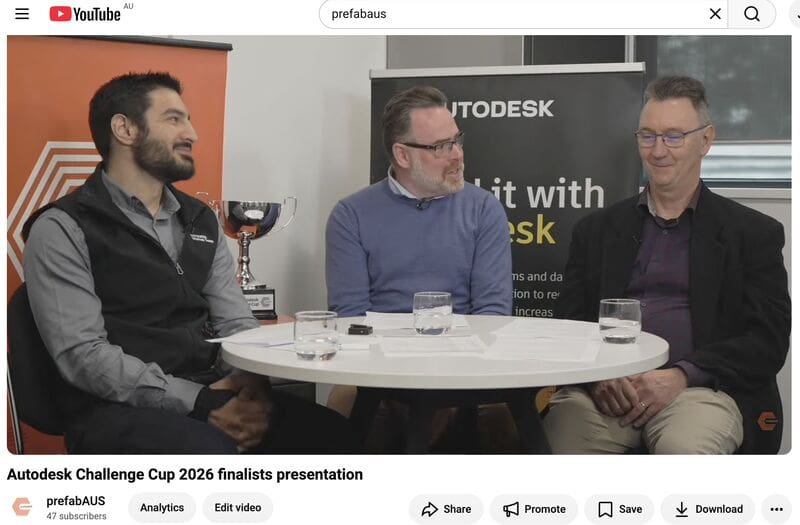
Use the first lines to explain what the video covers. Add relevant resources, speaker information and a link to the next step, such as a guide or enquiry page. Check the links before publishing.
Add chapters where they help
For videos with distinct sections, chapters let viewers go straight to the part they need. To add them manually, put timestamps and section titles in the description, starting at 00:00. Use at least three timestamps in order, with each chapter lasting at least ten seconds. See YouTube’s chapter instructions for feature eligibility and setup.
Review audience retention
Retention shows how viewing changes during a video. Review where people leave or replay sections, then check the corresponding passages. Recommendations use several signals, so a longer viewing duration does not guarantee wider distribution. YouTube’s performance guidance explains this in more detail.
Playlists
Group related videos in playlists so viewers can find the next relevant explanation. For example, a recruitment playlist could introduce different roles, while a training playlist could organise lessons in the order they should be watched.
Check upload defaults
YouTube Studio’s upload defaults can save settings such as language, category and privacy for browser uploads. They do not apply to uploads from mobile or a video editor. Check the title, description, audience and visibility settings for each video before publishing.
Choose between Shorts and longer videos
A Short can suit one focused answer or demonstration. A longer video gives you more room to explain a process or explore a subject. Use either or both when they suit the material; a short excerpt still needs enough context to make sense on its own.
Share the video with the relevant audience
Embed the video on a relevant website page or share it through LinkedIn, email or proposals where it answers a reader’s question. Explain why it is useful. Assess those visits on their own merits rather than treating external traffic as a guaranteed ranking boost.
Review the response
Use YouTube Studio to review watch time, retention, click-through rate and traffic sources. Compare videos with similar purposes and audiences, and allow enough views before drawing conclusions. Also review relevant enquiries or feedback that viewing figures alone cannot capture. Our guide to video analytics explains how to connect viewing data with the purpose of the video.
Prepare your next upload
Before publishing, check the title, thumbnail, description and captions, then watch the opening again. Make sure the video answers the question you are presenting. If you need help planning and producing a business video for YouTube, contact Dream Engine.
Publishing on YouTube
YouTube optimisation questions
Titles, thumbnails, viewing data and formats.
Is YouTube SEO still useful?
Yes. Descriptive titles, accurate thumbnails and useful descriptions help viewers understand what a video offers. Optimisation supports discovery, but cannot guarantee views or rankings.
What is the most important YouTube metric?
There is no single measure for every goal. Review retention, watch time and click-through rate together, and consider traffic sources, audience size and what you wanted the video to achieve.
Should businesses use Shorts?
Use Shorts when you have a focused answer, example or demonstration that works on its own. Longer videos may suit subjects that need more explanation. There is no need to use both formats for every project.
How long should a business video on YouTube be?
Give the subject enough time to answer the viewer’s question. Remove repetition, but keep necessary steps and context. Review the viewing data before deciding whether a shorter edit would help.
Do tags still help?
YouTube says tags have a limited role in discovery and are mainly useful for commonly misspelled terms. Prioritise an accurate title, thumbnail and description.

Ryan Spanger is the founder and managing director of Dream Engine, a Melbourne video production company established in 2002. Over the past two decades, he’s produced hundreds of videos for businesses, government departments, universities and healthcare organisations across Australia. Ryan specialises in helping organisations explain complex ideas through clear, engaging video content, with particular experience in corporate communications, training and education.