
The project
Introducing a Melbourne college to international students
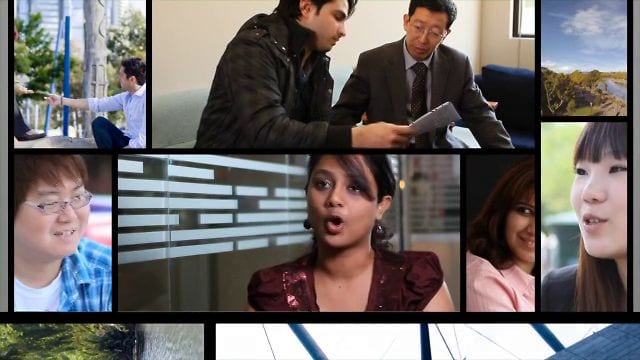
Dream Engine produced a promotional video for the Australian Technical and Management College in Melbourne. The project was aimed at prospective international students researching their study options from overseas.
The college wanted to show its campuses and facilities and introduce Melbourne as a place to live and study.
The brief
Helping students picture themselves in Melbourne
For students considering a move to Melbourne, the campus and its surroundings are part of the decision. The video presented the college’s campuses, facilities and location to people who might not be able to visit before applying.
Showing these spaces gave prospective students something concrete to discuss with the college or an education agent.
The result
A useful resource for education agents
The finished video gave the college’s education agents a resource to use when speaking with prospective students. It could introduce the campus before a more detailed discussion about courses, fees and entry requirements.
For education agents, this kind of video can support consultations, information sessions and education fairs. The same material can also be considered for a college’s website or presentations, with versions planned around each use.
Planning a similar project
What to consider for an education video
Showing what makes a college different
A useful college video shows the details behind its descriptions: the teaching spaces, facilities, location and people. These give prospective students a basis for comparison when several institutions offer similar courses.
For education marketing, the useful question is what students need to see to understand the institution. Choose footage that answers that question.
Building confidence with students and their families
Parents and family members may also be involved in choosing where a student will study. Their questions can include the learning environment, support services, transport and life in a new city.
An education video should address the questions relevant to its audience and describe the institution honestly. It should complement the course, fee and enrolment information students need before applying.
Choosing what to film
Before filming an education video, identify the audience and the questions they need answered. For a college attracting international students, useful subjects may include:
- the campus and its location
- classrooms, learning spaces and student facilities
- the teaching environment
- student support services
- transport and access
- student life in Melbourne
- the experiences of current students and graduates
Not every video needs to cover all of these subjects. Choose what to include based on the audience and where the video will be used.
If you need shorter social edits, course introductions or student stories as well as a main promotional video, plan those versions before filming. That helps the crew capture the material each version needs.
The project in context
Using video to support the decision
For the Australian Technical and Management College, the video provided a way to present its campuses, facilities and Melbourne location to prospective international students. It also gave education agents a resource they could use in those conversations.
Planning a video for your school, TAFE, college or university? Get in touch with Dream Engine to discuss your next education or corporate video production in Melbourne.
Planning a video for your college or university?
Tell us who you want to reach, what they need to see and where the video will be used.

Ryan Spanger is the founder and managing director of Dream Engine, a Melbourne video production company established in 2002. Over the past two decades, he’s produced hundreds of videos for businesses, government departments, universities and healthcare organisations across Australia. Ryan specialises in helping organisations explain complex ideas through clear, engaging video content, with particular experience in corporate communications, training and education.

