At a glance
For a short introduction to your business, 60–90 seconds is a reasonable starting point. An event highlights video might run for 1–3 minutes. A training video needs enough time to demonstrate the task properly. Check the length as you write the script and review the edit; you may find you need more or less time.
In this guide
One of the most common questions clients ask when planning a new video is how long it should be. The answer depends on the type of video, what the viewer already knows and where they’ll watch it. A potential customer getting to know your business needs a different explanation from a staff member learning a procedure.
At Dream Engine, we help clients make this decision when planning a live-event video, a training video or a company introduction. Discuss the approximate length before production starts, so your producer can plan the script and filming.
Keep it focused on one main message
Before deciding how long the video should be, write down what you want someone to understand or do after watching. For a company introduction, you might want viewers to understand what you offer and get in touch. For a product demonstration, you might need to show them how to use one feature.
Company history, a long list of services and several staff interviews may be too much for one introductory video. If there’s more to explain, make a separate video or add that information to the webpage.
Allow enough time to read on-screen instructions and follow any demonstrations. During editing, look for repeated explanations or sections you can remove without leaving the viewer confused.
How long should each type of video be?
A company introduction can be brief. A demonstration may need several minutes to show the steps properly. Here are some suggested lengths to discuss when planning your video.
| Type of video | Suggested length | What to include |
|---|---|---|
| Corporate or brand introduction | 60–90 seconds | Explain what the business does and who it works with. Tell viewers how to find out more or get in touch. |
| Event highlights | 1–3 minutes | Show the parts of the event your audience will want to see. Promoting next year’s event may call for a different edit from a recap for attendees. |
| Training or a product demonstration | Long enough to demonstrate the task | Show each step at a pace viewers can follow. Separate unrelated topics into individual videos. |
| Presentation or lecture | The full talk, if viewers need it | Keep the full recording available. Add chapter markers or make separate clips so viewers can find a particular topic. |
| Social media extract | A short clip covering one point | Introduce the subject straight away and include enough explanation for someone who hasn’t seen the full video. |
For training videos, allow time for viewers to see what’s happening as well as hear the instructions. They may need to see hand position, the order of actions or the finished result. Cutting those details just to make the video shorter can make the instruction harder to follow.

Where will people watch it?
On your website homepage, explain what your business does early in the video. Someone watching on a product or service page may want more detail before deciding whether to contact you.
Someone scrolling through LinkedIn may see your short clip without ever watching the full video. Include enough explanation for the clip to make sense on its own. Before editing, check any length limits and format requirements for the post or ad.
Training videos and internal updates can run longer when there’s more to explain. Use descriptive titles and separate unrelated subjects into different videos. Someone checking a procedure should be able to find it without watching a long introduction each time.
Plan shorter versions before filming. If you need a website video and a short social clip, include both in the brief. Your producer can then plan the interviews and shots needed for each, including framing for vertical versions.
Time the script before filming
Read the script aloud at a comfortable pace and time it. Allow time for pauses, demonstrations, text on screen and the closing message. A word count gives you an estimate, but it won’t account for everything viewers need to see.
If the read-through is too long, decide which ideas you can remove or show visually. Speeding up the delivery can leave a video feeling hurried. For interview-led videos, list the questions the film needs to answer and decide who to interview about each one. There may be several good answers to the same question, but the edit rarely needs all of them.
Get feedback on the first edit
Show the first edit to a few people who would be likely to watch the finished video. Ask them:
- What was the main thing you took away?
- Where did the explanation feel slow, repetitive or confusing?
- Was any information missing?
- If the video asks you to do something, is it clear what to do next?
Look for points that several viewers mention. A repeated explanation may be easy to cut, while a confusing section may need more detail. Someone who knows the subject may need less explanation than a newcomer, so take that into account when reviewing the feedback.
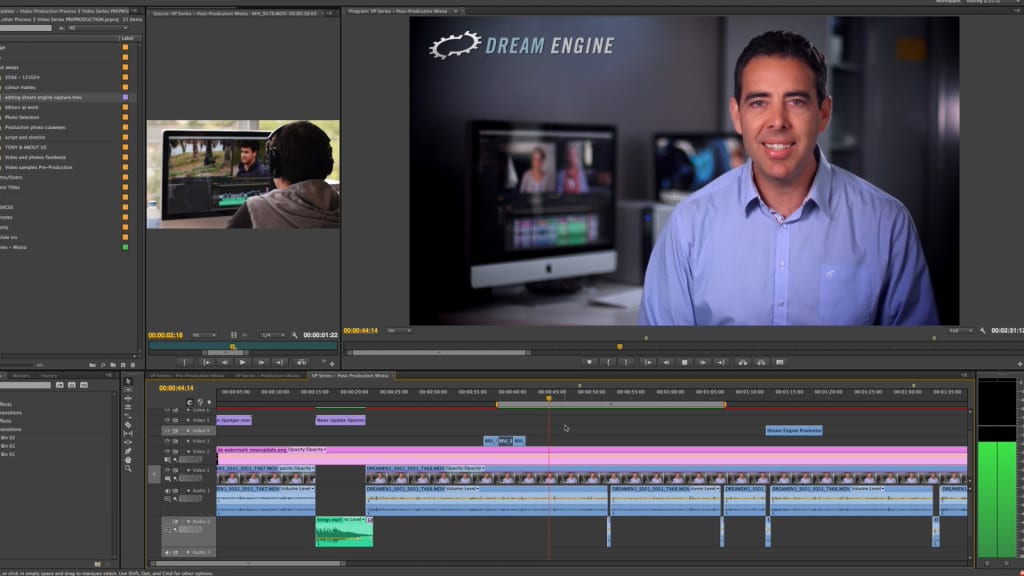
After publication, check your video analytics, if available, to see how long people watch and where they stop. Someone who finds an answer halfway through a training video may have got what they needed. If you made the video to encourage enquiries, check whether it brings people to your contact page as well as how much they watch.
Preparing your video brief
You don’t need a finished script to speak to a producer. Tell them who will watch the video, what you want to explain and where you’ll use it. Our video production planning guides can help you prepare the brief.
Frequently asked questions
Video length
How long should a corporate video be?
For a short introduction to your business, 60–90 seconds is a reasonable starting point. If you need to explain a product, demonstrate a process or tell a detailed story, allow more time.
Is shorter always better?
No. Cutting a video too far can leave out information people need. Remove repetition, but leave enough time to explain the subject and follow any demonstrations.
Will people watch a longer video?
People may be willing to watch longer when they’re looking for a detailed explanation or learning how to do something. Someone browsing your homepage may only want a brief introduction.
How long should event highlight videos be?
One to three minutes is a reasonable starting point for an event recap. The length will depend on what you want to show and who will watch it.
How does the platform affect video length?
A social media clip needs to introduce its subject quickly. A product page or training portal may suit a longer explanation. Check any length limits for the post or ad before planning the edit.
What if I’m unsure about the right length?
Discuss an approximate length with your producer before filming. If there’s a script, time a read-through. Then review the first edit to see what needs more explanation and what you can cut.

Ryan Spanger is the founder and managing director of Dream Engine, a Melbourne video production company established in 2002. Over the past two decades, he’s produced hundreds of videos for businesses, government departments, universities and healthcare organisations across Australia. Ryan specialises in helping organisations explain complex ideas through clear, engaging video content, with particular experience in corporate communications, training and education.