Video Footage Backup Best Practice
When clients trust you to capture interviews, events, product demonstrations or corporate stories, they expect the material to be safe from the moment the camera rolls. A strong backup workflow protects their project, your reputation and your peace of mind. It also ensures that no matter what happens on set, in transit or in post production, you always have a reliable path back to the footage.
At Dream Engine, we have refined our backup and data protection workflow over many years. The goal is simple. Avoid single points of failure, protect every stage of production and create predictable systems that eliminate unnecessary risk. This article explains the exact approach we use today and why each step matters.
1. Start with redundancy on set
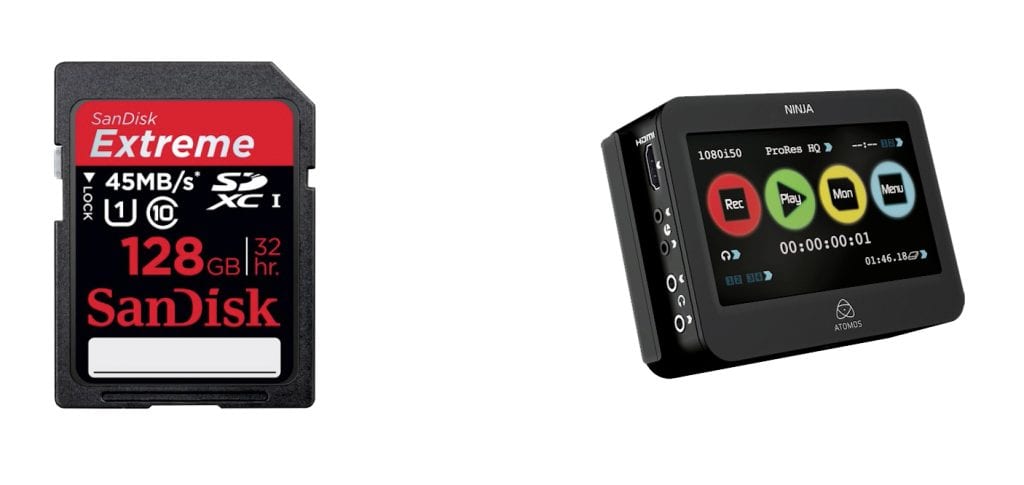
The safest place to begin is at the moment of recording. Modern cameras support dual-card recording, creating two identical copies of the footage as it is captured. This removes the risk of relying on a single card and gives you an immediate backup if the hardware fails.
Dual card recording protects you from:
- corrupted cards
- faulty card readers
- accidental formatting
- physical card damage
Because the second card is created instantly, you get a verified duplicate long before the first offload. It is one of the simplest and most effective ways to reduce risk on set.
2. Offload to multiple destinations
Once filming ends, the first priority of our professional videographers is moving the footage to secure locations. We follow a two-stage offload process that ensures the material exists in more than two places as quickly as possible.
Footage is copied to:
- a primary RAID system for immediate editing
- a secondary external drive used solely as a backup
Using multiple destinations means a single hardware failure cannot compromise the material. Even if a drive fails, gets damaged during transport or refuses to mount, the alternate copy is there to protect the project.
During offload, strict organisation is essential. Cards are labelled, folders are named consistently, and each camera’s media is separated clearly. This reduces confusion later in post-production and helps maintain a clean, reliable workflow.
3. Store footage safely on RAID
A RAID system remains one of the most trusted ways to protect active projects. It combines several drives into a single unit and distributes data across them so the data can be rebuilt if a drive fails.
Our RAID system provides:
- protection against drive failure
- fast performance for editing
- a stable environment for large projects
The RAID becomes the central hub for the project. Because everything is duplicated elsewhere, it is safe for day-to-day work and can be easily restored if a drive needs to be replaced.
4. Use cloud backups for project files
While camera footage is stored locally on RAID and backup drives, the project files themselves need extra protection. These include timelines, sequences, edits, motion graphics, scripts and supporting assets. Losing a timeline can mean days of rework, even if all the footage is intact.
To avoid this, we sync project files to cloud services such as Dropbox and Google Drive. This creates an additional layer of protection and ensures:
- automatic versioning
- restore options if files are overwritten
- safe access for editors working remotely
- a record of the project’s development
Cloud backups give us confidence that even if a local machine fails, the work is preserved and recoverable at any point.
5. Separate editor working copy
For active projects, editors work from their own local copy of the media. This prevents unnecessary wear on the RAID system and adds another layer of redundancy. If the RAID were ever compromised, the editor’s working copy acts as a buffer until the RAID is restored.
This also allows editors to move between locations easily without compromising the safety of the primary media.
6. Long-term archiving
Once a project is delivered, the focus shifts from production workflows to long-term storage. Clients often return months or years later to request new edits, extra social cuts or updated versions. Having the material accessible makes future work easier and more cost-effective.
We store archives for five years using two dedicated physical drives. Each project is duplicated and stored in separate locations to protect against hardware failure or damage. This ensures that if one archive drive fails, the second remains available.
Archives include:
- final exports
- original camera files
- project files and timelines
- graphics and supporting assets
This complete archive enables us to quickly and easily rebuild a project when needed.
7. Why this matters for clients
A clear, reliable backup workflow gives clients confidence in the production process. They know their material is safe and that the work will not be lost to technical issues. It also reduces risk on set and protects timelines, budgets and outcomes.
Reliable backups help clients by ensuring:
- no lost footage
- no need for reshoots
- stable timelines
- access to their material in future years
In a busy commercial environment, predictability matters. Strong backup systems are part of delivering that predictability.
Final thoughts
A reliable backup workflow is not a luxury. It is a crucial part of professional video production. From dual card recording to RAID systems, cloud backups and long-term archiving, each layer works together to protect the project at every stage.
If you want your next video produced with care, attention and a safety-first mindset, get in touch with Dream Engine. We will guide you through every step and ensure your material remains safe from beginning to end.
Frequently Asked Questions About Backing Up Video Projects
How many copies of my footage do you keep?
We maintain multiple copies. Footage is recorded to two cards in camera and then copied to both a RAID system and a backup drive. Project files are also protected through cloud services.
Do you use RAID for protection against drive failure?
Yes. Our RAID systems protect active projects by spreading data across multiple drives, allowing the material to be rebuilt if a drive fails.
How long do you store client projects?
We archive projects for five years. Each project is duplicated across two physical archive drives stored in separate locations.
What happens if a drive fails during editing?
Because the footage exists on multiple devices and editors work from their own local copy, we can recover quickly and continue without data loss.
Do you back up project files as well as footage?
Yes. Timelines, graphics, sound files and supporting assets are automatically synced to cloud services to protect against local machine failure.
Ryan Spanger is the founder and managing director of Dream Engine, a Melbourne video production company established in 2002. Over the past two decades, he’s produced hundreds of videos for businesses, government departments, universities and healthcare organisations across Australia. Ryan specialises in helping organisations explain complex ideas through clear, engaging video content, with particular experience in corporate communications, training and education.