At a glance
Use YouTube to answer the questions customers ask before buying. Give each video one useful subject, show or explain it early, and offer a relevant next step. Link viewers to the page they need, check which links your channel supports, and judge the videos by useful enquiries as well as views.
In this guide
YouTube gives customers a place to see how your product works or get an answer to a question before they contact you. For a business using web video, it’s a useful place to publish demonstrations, explanations and examples of your work.
Start with the questions your customers already ask. You can use those conversations to plan social video content that addresses a specific problem, then show viewers where to find more detail. If you’re planning a series, start with a video content marketing plan that gives each video a purpose.
Why promote your business on YouTube?
Some things are easier to show than describe. A product demonstration can show how a mechanism works. A screen recording can take someone through a software task. An interview can let a prospective customer hear directly from someone who’s used your service.
Think about what someone needs to know before buying from you. If you’re a builder, that might be how a renovation is scheduled. If you sell software, it could be how to import a spreadsheet. Each question gives you a subject for a video.
A video with a small audience can still be useful if it reaches people who need your service. Judge it by the questions and enquiries it brings in, as well as the viewing figures.
Use the words your customers search for
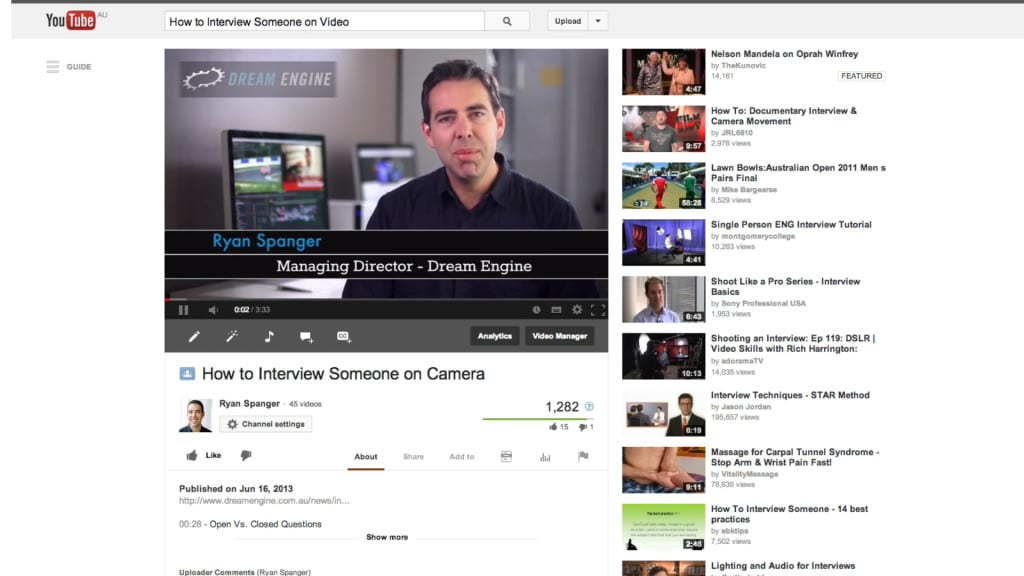
Give each video a title that describes what it covers. A title such as “How to prepare for an on-camera interview” tells someone much more than “Our top tips”.
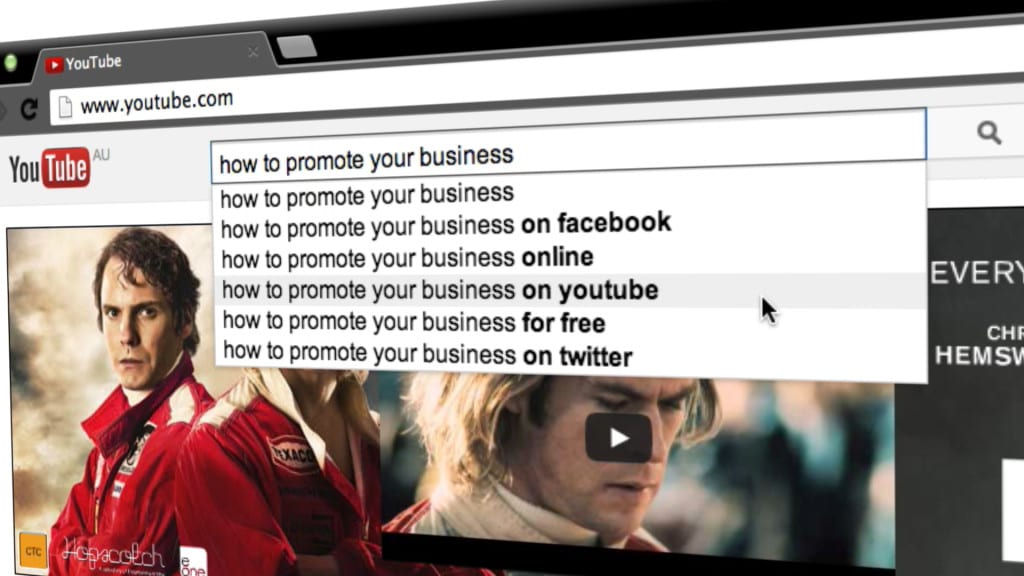
Type a possible topic into YouTube’s search bar and look at the suggestions. Use these as ideas to investigate alongside the questions you hear from customers.
Choose one question for the video to answer. Use the same plain language in the title and description, and answer it early in the video. Don’t force a keyword into every sentence.
Possible subjects include:
- “How to…” tutorials
- Common questions about your service
- Short explanations of technical terms
- A look at how a job is carried out
- Case studies showing the work and the result
Check older videos from time to time. An explanation can stay useful for years, but instructions, prices and product details may need updating.
Show people how something works
If the title promises an answer, get to it. A long company introduction can usually be shortened or moved to the end. Use an example, demonstrate the task and explain any steps a beginner might miss.
A face-to-camera explanation is a good starting point when someone in your team knows the subject well. Record in a quiet space, make sure their face is well lit, and cut pauses or repeated points that slow the explanation down.
Choose the format to suit what you need to show:
- Screen recordings for software demonstrations
- Animation for processes you can’t film
- Client interviews and case studies
- Product or service walkthroughs
Before filming, write down what the viewer should be able to understand or do by the end. Use that to decide what belongs in the edit.
Choose a call to action
A call to action is a request for the viewer to do something next. Choose one that follows from the video they’ve just watched.
You could ask them to:
- Subscribe for more videos on the subject
- Watch a related demonstration
- Download a guide or checklist
- Visit a service page for more details
- Look at a relevant case study
For example, a video about preparing for an interview could point to a preparation checklist. A product demonstration could link to specifications or a booking page.
Tell viewers what they’ll find and where to find it. One specific request is easier to follow than a list of things to click.
For help deciding what viewers need at each stage, read about using video in the sales cycle.
Help viewers find your website
Link to the page that answers the viewer’s next question. That might be a service description, pricing information or an example of a similar job.
For a standard YouTube video:
- Mention the link in the video. Explain what the page contains.
- Put it near the start of the description. Label it so viewers know where it goes.
- Add it to a pinned comment if useful. Viewers will need to open the comments to see it.
- Use an end screen for a related video. External website links in end screens require membership of the YouTube Partner Program.
- Check the link after publishing. Make sure it opens the intended page on a phone as well as a computer.
Clickable external links in long-form video descriptions and comments require access to YouTube’s advanced features. URLs in Shorts descriptions and comments aren’t clickable, so don’t use the same instructions for both formats.
Check YouTube’s current linking guidance and end-screen requirements before publishing.
Check whether visitors from YouTube go on to enquire. A high view count on its own doesn’t tell you whether a video is helping the business.
Give viewers a reason to sign up
An email signup can suit viewers who want more information but aren’t ready to contact you. Explain what they’ll receive and how often you’ll email them.
You could offer:
- A guide or checklist
- A short email course
- A breakdown of a project
- Templates related to the video topic
The resource should help with the problem covered in the video. If a public page would answer the question just as well, link to that directly.
For examples of the kinds of videos you could plan, see our pages on:
These cover different ways to explain your services and show your work.
Plan your first few videos
Write down three questions customers asked you recently. Choose the one you can answer most clearly, plan the shots or explanation it needs, and decide where viewers should go next.
If you’d like help filming YouTube videos for your business, get in touch with Dream Engine. Tell us who you’re trying to reach and what you want to explain, and we can discuss the filming and editing involved.
YouTube for business
Frequently asked questions
Video length, production, topics and publishing frequency.
How long should my YouTube videos be?
Give the topic enough time to explain it properly, then cut repetition. A quick answer might take a minute; a detailed demonstration may need much longer. Watch where viewers leave and check whether the opening takes too long to get to the point.
Do I need professional production for YouTube?
You can record a straightforward explanation yourself with a phone, a quiet room and good light. Professional production can help when you need interviews, product footage, animation or a consistent set of videos. Decide based on what you need to show and the time your team has available.
How often should I upload?
Choose a schedule your team can keep up with. Monthly or fortnightly could be a sensible starting point if you need time to prepare and film. Don’t publish a weak video just to fill a gap in the calendar.
What topics work best?
Start with questions customers ask before they buy: how a product works, what a service includes, or how to prepare for a project. Compare the response to each video before deciding what to film next.

Ryan Spanger is the founder and managing director of Dream Engine, a Melbourne video production company established in 2002. Over the past two decades, he’s produced hundreds of videos for businesses, government departments, universities and healthcare organisations across Australia. Ryan specialises in helping organisations explain complex ideas through clear, engaging video content, with particular experience in corporate communications, training and education.