
Email is still one of the most effective ways to reach clients and prospects. People check their inboxes many times each day, and a well-timed message can create real engagement. Adding video marketing to your email strategy can make your content more noticeable and more compelling. The goal is simple. Give people something worth clicking, then send them to a place where they can learn more about you.
Why Use Video In Your Email Campaigns
Video helps you stay visible to clients. It can warm up prospects who are still learning about your services. It can teach, demonstrate expertise, and prompt return visits to your website. Most people would rather watch something than read a long explanation. A short video can explain a process, introduce your team, or answer common questions.
Email also plays an important role in lead nurture. If someone has already visited your website or downloaded something from you, a useful video in their inbox is an easy way to keep the conversation going.

Can You Embed A Video Directly In An Email
It is technically possible, but not recommended. Most email clients do not support video playback inside the email itself. Gmail and Outlook block embedded video. Large embedded files can trigger spam filters. Even if the email arrives, many recipients simply cannot play the video inside their mail app.
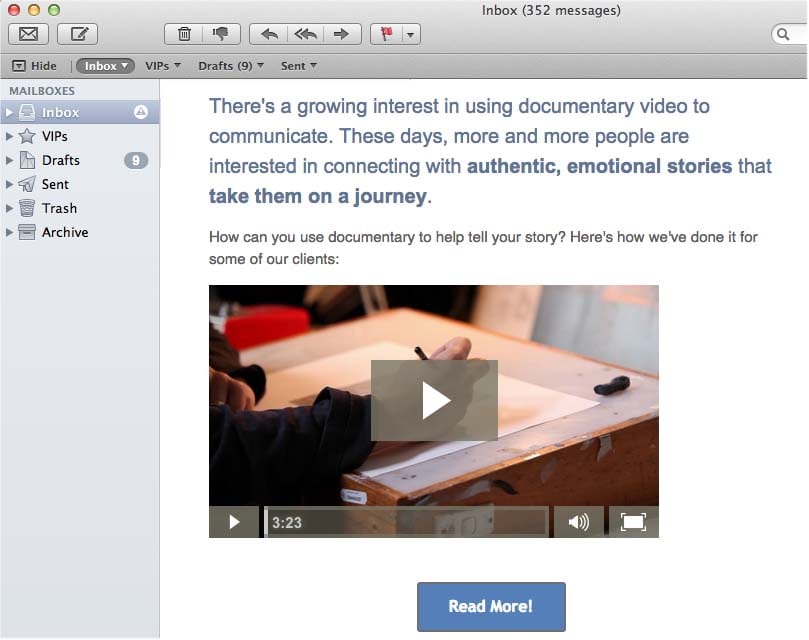
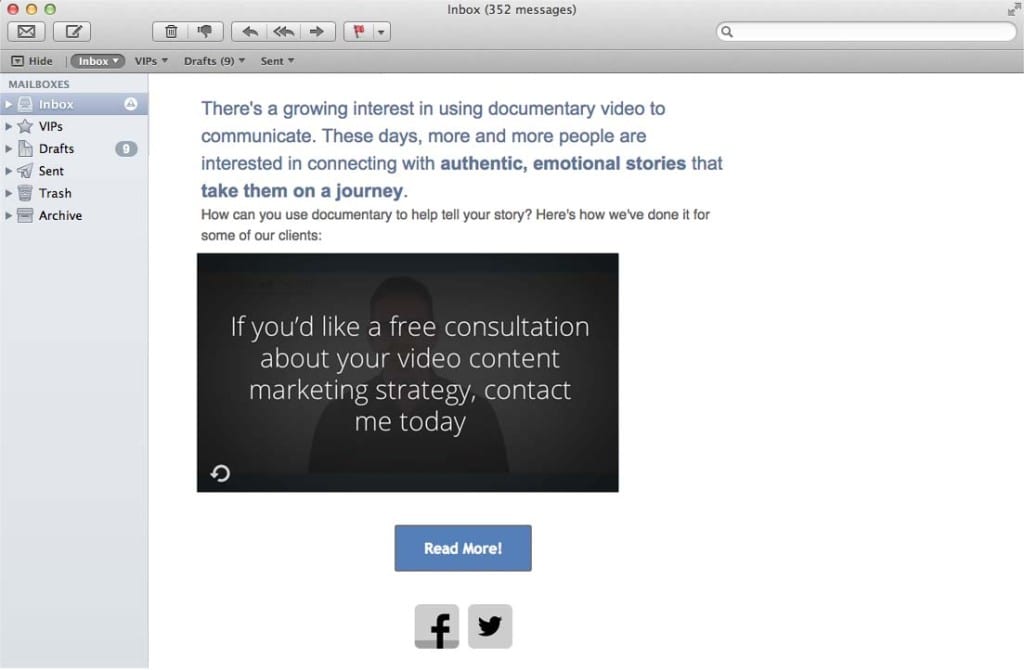
A more reliable method is to display a thumbnail image that links to a landing page where the video lives. This keeps your emails small and safe to send, and it gives you full control over how the video is presented.
The Best Method For Sending Video Through Email
1. Create a video thumbnail
Use a still frame from your video. Add a play button icon so the viewer instantly understands what the image represents. People are conditioned to click on play buttons. It increases click-through rates and sets a clear expectation.
2. Link the thumbnail to your landing page
When someone clicks the image, they should be taken directly to a page on your website where the video sits. This serves two purposes. It avoids the technical limitations of email clients. It also encourages people to explore more of your site once the video finishes.
3. Give the viewer something to do next
Once the video ends, provide a clear step for them to take. This could be an inquiry form, a link to another useful video, a pricing page, or a case study. A good call to action helps you turn attention into action.
Tools That Help With Video Email Marketing
There are now many services that make this process easier.
• Wistia for video hosting, analytics, and simple lead capture features.
• Mailchimp, Campaign Monitor, HubSpot, ActiveCampaign for building email sequences and tracking opens and clicks.
• Vimeo for hosting and embedding videos on your site.
• Vidyard and Loom for personalised video messages, often used in sales outreach.
All of them support the thumbnail-plus-link approach.
Where Video Email Works Best
Lead nurture
Short, helpful videos build familiarity and trust over time.
Client education
Training videos or walk-throughs can reduce support requests and improve onboarding.
Announcements
New products, new services, event highlights, and important changes are often easier to explain with video.
Industry communication
If you work with sectors like construction, finance, or healthcare, video can simplify complex messages and show work in progress.
How To Measure Your Results
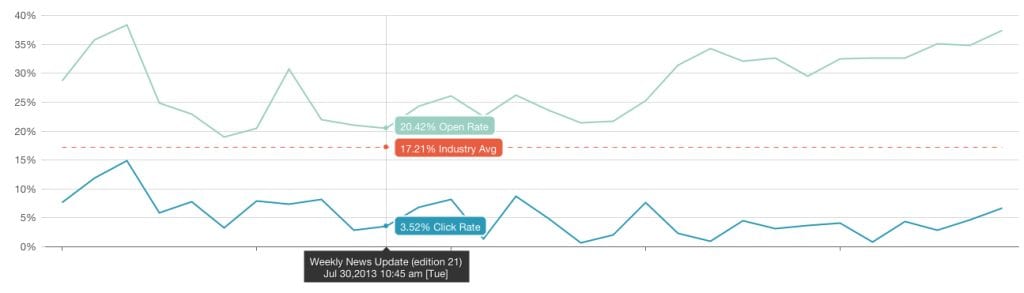
The hosting platform will show you the number of views, engagement, and how long people watched. Your email provider will show open rates and click-through rates. When a campaign goes well, you should see a clear spike in views shortly after the email goes out.
Use this information to understand which topics your audience responds to and what encourages them to take action. Over time, you can shape a sequence of videos that guide clients and prospects through a clear journey.
If you want to create video content for your email marketing campaign, contact Dream Engine at our Melbourne office today.
Video Email Marketing – Frequently Asked Questions
Should the video autoplay on the landing page?
Most people prefer to press play themselves. Autoplay can feel intrusive. A simple thumbnail with a play button works well and gives viewers control.
Where should the video be hosted?
Host your video on a platform like Wistia, Vimeo, or YouTube. These services provide reliable playback and analytics.
Does video increase email engagement?
Yes. Video thumbnails usually receive more clicks because the call to action is visual and clear.
Can I personalise the video?
Yes. Tools like Vidyard and Loom make it easy to record short personalised clips for clients and prospects.
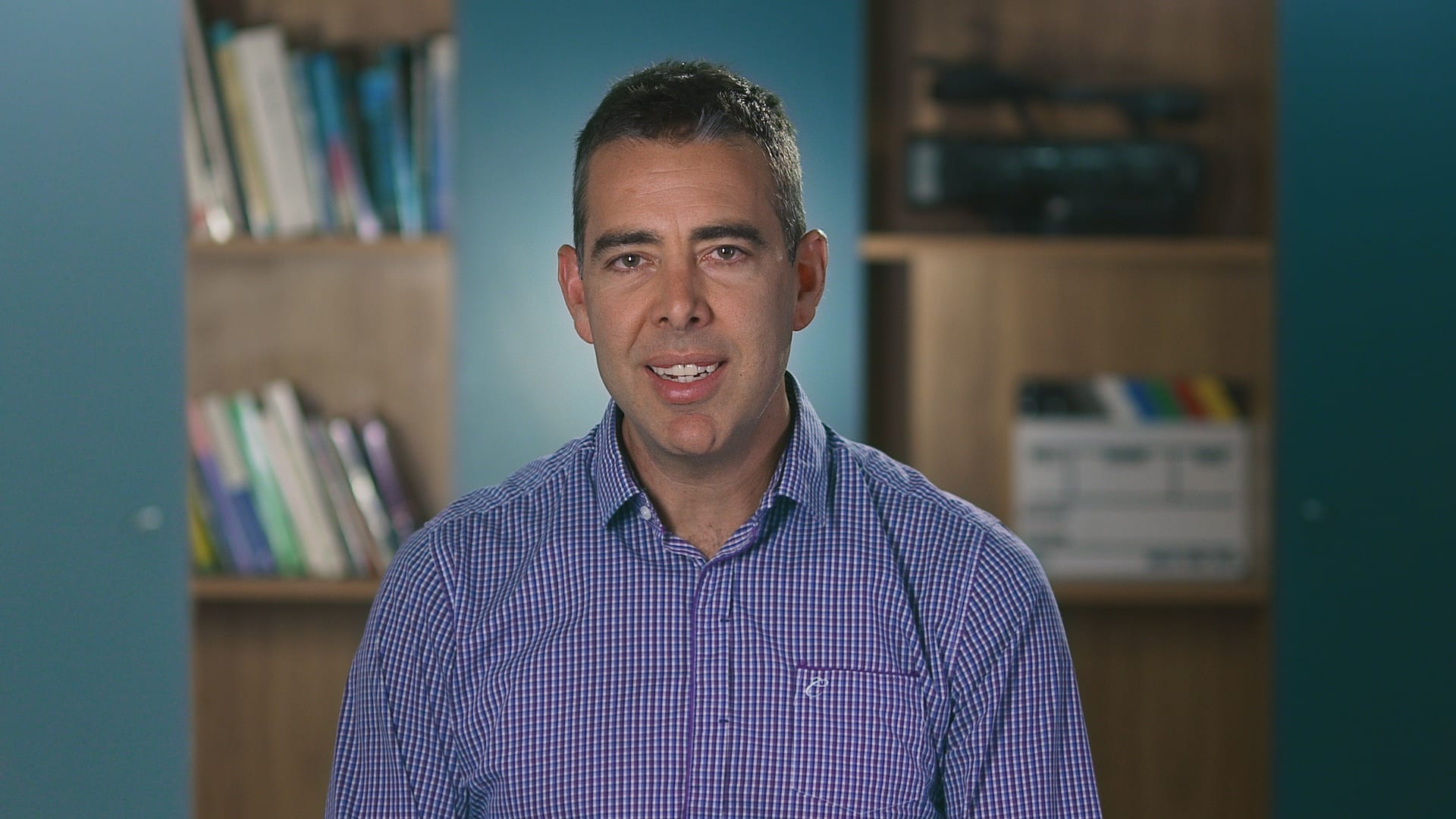
Ryan Spanger is the founder and managing director of Dream Engine, a Melbourne video production company established in 2002. Over the past two decades, he’s produced hundreds of videos for businesses, government departments, universities and healthcare organisations across Australia. Ryan specialises in helping organisations explain complex ideas through clear, engaging video content, with particular experience in corporate communications, training and education.