Sound mixing for video production

We mix dialogue, voiceover, music, ambience and sound effects for your video, making speech easy to hear and balancing the volume throughout.

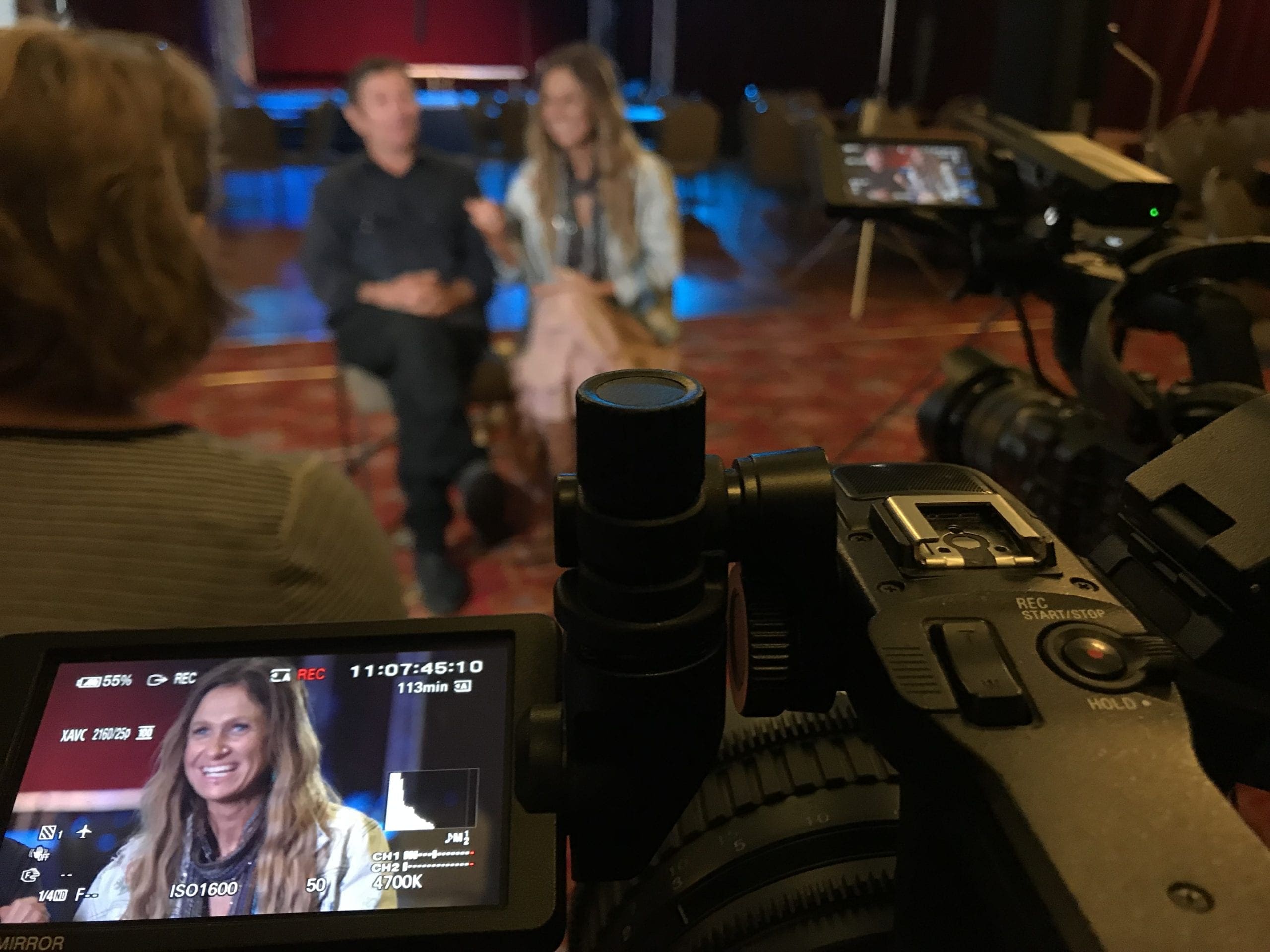
Dream Engine filming an interview with musicians for a corporate video
A Dream Engine interview with musicians.

Finishing the sound

Start with the dialogue

We listen for uneven speech levels, background noise and abrupt changes between recordings.

We smooth the dialogue edits and balance the levels between speakers. We set the music low enough to hear the words comfortably, then bring it up where appropriate between spoken sections. Recorded location sound helps retain the atmosphere of the scene.

An interview video might use just speech and music. An animation, commercial or event film may involve more layers of sound.

Recording and mixing sound

Recording captures the voices and location sound during filming. Editing and mixing happen afterwards, when we prepare the recordings and combine them into the finished soundtrack.

01 / ON SET

Sound recording

During filming, we choose and position microphones, monitor the recording and deal with room noise where possible. For interviews, we may use a shotgun microphone just out of frame. A wireless lapel microphone can be useful when following someone as they move or filming a documentary.

See how Dream Engine approaches sound recording for video.

02 / IN POST

Sound mixing

During video editing, we work with those recordings alongside voiceover, music and effects. Dialogue editing and noise reduction prepare the audio for the final mix.

We normally do the final mix once the picture edit is settled.

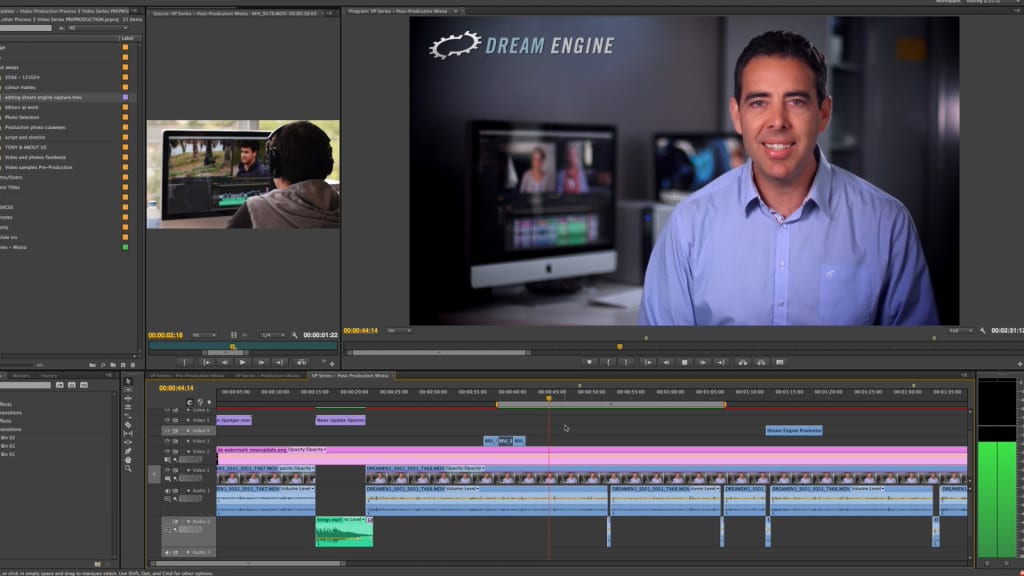
Dream Engine video edit timeline with dialogue and music tracks ready for sound mixing
Picture, dialogue and music tracks in a Dream Engine edit.

Our process

How we mix your video

We work through the video in sequence, checking the balance as speakers, music and scenes change.

Audio meters help us spot peaks and uneven levels. We also listen through the edit to check that voices sound natural, music edits are smooth and the volume stays comfortable.

01 / ORGANISE

Organise and sync the audio

We sync separately recorded dialogue with the picture, then organise the voiceover, music and effects tracks.

02 / EDIT

Edit the dialogue

We choose the clearest recording, tidy the joins and use short fades and room tone (the background sound of the room) to smooth the cuts.

03 / CLEAN

Clean up the recording

We reduce steady background noise, low rumble and clicks where possible, and even out small differences in volume.

04 / BALANCE

Balance the tracks

We set dialogue levels first, then adjust the music, ambience and effects around the speech.

05 / SMOOTH

Check every transition

We listen across each edit for unwanted clicks, gaps or sudden changes in volume.

06 / DELIVER

Check the finished versions

We check the levels, peaks and stereo balance of the main video and each cutdown, then export them to the agreed audio specification.

Dialogue first

Make speech easier to follow

Whether we’re working with interviews, presenters or voiceover, we aim for a consistent volume while preserving the person’s natural delivery.

We may use gentle equalisation, compression, level adjustments and noise reduction where they help. Too much processing can make speech sound muffled or metallic, so we check that voices still sound natural.

Between answers: short fades and natural room tone help smooth the joins between dialogue clips.

Between recordings: we match the tone and volume when combining audio from different microphones or takes.

Between speakers: we adjust the levels so one person is as easy to hear as the next.

With music: we lower the track during speech and bring it up in the gaps where appropriate.

Finished Dream Engine corporate interview frame with a presenter ready for the dialogue mix
An interview from a Dream Engine corporate video.

The audio tracks

Dialogue, music and effects

A track may need to be brought forward, kept in the background or faded out as the scene changes.

Interview dialogue

We keep voices at a consistent level and smooth the joins between answers.

Voiceover

We time the narration to the picture and graphics, allowing for pauses and emphasis.

Music

Music helps set the tone and pace. We edit the track to fit the sequence and adjust its volume around the speech.

Ambience and effects

Location sound establishes the setting. Effects can accompany an animation, highlight a step in a demonstration or link two scenes.

Music selection and sound design begin before the final mix. See how we choose music and sound effects for your video.

Animated Australia map frame from a Dream Engine video where sound effects support movement and transitions
An animated map from a Dream Engine video.

Sound design

Adding sound effects

In an animation, product demonstration or commercial, an effect might accompany a moving graphic, a logo reveal or a button press. Background sound can also maintain the atmosphere of a location after the dialogue has been edited.

Interviews often need only speech, music and recorded ambience. Extra effects can be distracting, so we use them sparingly.

Playback

Where will your video be played?

Website and internal use

We check that the music doesn’t overwhelm the speech, including when the video is played at a lower volume.

Social media

People may watch on a phone in a noisy place or with the sound off. We keep speech prominent in the mix and check that any captions are accurate and easy to read.

Events and presentations

Tell us if your video will play through a venue’s sound system. We’ll check any audio requirements with you before preparing that version.

Broadcast or agency delivery

If a broadcaster, agency or platform supplies an audio specification, we check it before export and prepare the required version.

Most Dream Engine corporate videos are delivered with a stereo mix. If you need separate dialogue, music and effects files (known as stems), specialist audio restoration or broadcast mastering, we’ll agree on that work before the final export. See our guide to video distribution for more on planning delivery.

Client review

What we ask you to listen for

Speech

Can you follow every interview answer, presenter line and voiceover without straining?

Music

Does the music suit the video, and can you hear the speech comfortably over it?

Names and wording

Are names and technical terms correct and pronounced as intended?

Changes

Do any cuts, music changes or effects sound too loud, too quiet or abrupt?

Listen in a reasonably quiet place, using headphones as well as the device you normally watch videos on. If something sounds wrong, send us the timecode and describe what you hear. We’ll work out how to address it.

What can be fixed in post-production?

We’ll listen to the recordings and explain what we can improve. The result depends on how the audio was captured and how much background noise or distortion is present.

Can often be improved

We can often reduce steady hum, low rumble and small clicks, smooth rough edits and even out differences in volume.

Harder to fix

Strong room echo, changing background noise, heavy wind, clothing rustle and overlapping voices can be difficult to remove without affecting the speech.

May need re-recording

Badly clipped or distorted speech, missing words and voices buried in background noise may need to be recorded again.

Frequently asked questions

Questions about your sound mix

Is sound mixing included in a Dream Engine video?

A stereo sound mix is normally included in a complete Dream Engine production. We’ll quote separately for specialist restoration, extensive sound design, broadcast mastering, separate stems or work on a large amount of supplied audio.

What is the difference between sound recording and sound mixing?

Sound recording happens during filming and captures interviews, presenters, location sound and other source audio. Sound mixing happens in post-production and brings dialogue, voiceover, music, ambience and effects together into the finished soundtrack.

Can background noise be removed in the mix?

Steady background noise, rumble and clicks can often be reduced. Strong echo, wind, distortion, changing noise or sound that covers the words may not be removable without making the voice sound unnatural.

How loud should the music be under dialogue?

It depends on the voice and the music. We adjust the track throughout the edit so you can hear the speech comfortably, bringing it up where appropriate when there’s no dialogue.

Do you add sound effects to every video?

No. We might add an effect to a transition, animation or product demonstration, or use background sound to establish a location. Many corporate interview videos need only dialogue, music and natural ambience.

Can you mix video and audio we have already recorded?

Yes. We’ll review your edit and audio files, including any separate microphone recordings, and ask where the video will be used. We can then explain what work is needed and any problems we may not be able to fix.

When will we hear the final sound mix?

We normally do the final mix once the picture edit is settled. An early rough cut may have temporary music and roughly balanced dialogue. We’ll let you know when the sound is ready for review.

Talk to us about your video

Tell us what you’re making, where it’ll be shown and whether you’ve already filmed it. We can plan the sound as part of the production or assess the audio you have.

Discuss your video