In this guide
A call to action gives a video viewer a clear next step, such as contacting your team, downloading a guide or visiting a product page.
In video marketing, the prompt should suit the viewer’s needs and the purpose of the video. Make the action easy to understand and check that the destination delivers what you promise.
This guide explains how to use calls to action in video properly, where they work best, and how to make them clear and effective.
What a call to action does in video
A call to action, often shortened to CTA, is a prompt that tells the viewer what to do next. In video, this is commonly presented as a clickable button, text overlay, or link that appears during or at the end of the video.
The purpose of a CTA is simple. It removes uncertainty. Instead of asking the viewer to decide what to do next, you show them.
This might be encouraging them to get in touch, learn more, download something, or start a purchase process.
Choosing where the call to action appears
The end is a useful place to summarise the next step for viewers who have watched the full message.
Some viewers will leave before then. For a longer video, consider a relevant prompt earlier in the content or a clear link beside the player.
Place the prompt where viewers have enough context to decide. Test its timing and wording against actual clicks and enquiries, rather than assuming one position works for every video.
Some hosting platforms support clickable prompts inside the player, depending on the plan and settings. Otherwise, use a link beside the video or in its accompanying post. Text embedded in the picture is not automatically clickable.
Make the call to action obvious and intentional
An effective video call to action should never feel hidden or accidental.
It should appear clearly, at the right moment, and be visually distinct from the rest of the video. The viewer should understand what the prompt offers and how to use it.
The design does not need to be complex. Simple text, strong contrast, and enough space around the CTA usually work best. Make it easy to read and understand.
The CTA should explain what will happen next. Vague prompts create hesitation. Clear prompts reduce it.
Use direct language
Calls to action work best when they are direct and easy to understand.
The video has already done the work of explaining and persuading. The CTA should not introduce new ideas or complexity. It should simply guide the next step.
Clear examples include:
- Contact our team
- Book a consultation
- Learn more about our services
- Download the guide
Use wording that accurately describes the destination. A prompt to download a guide should lead to that guide or a clearly explained request form.
Match the call to action to the purpose of the video
Not every video should push the viewer toward the same outcome.
A brand or introduction video might invite the viewer to learn more. A testimonial video might encourage them to make contact. A product video might guide them toward a specific page or enquiry.
Choose a next step that follows from the video. Someone watching an introductory explainer may need more information before they are ready to request a quote.
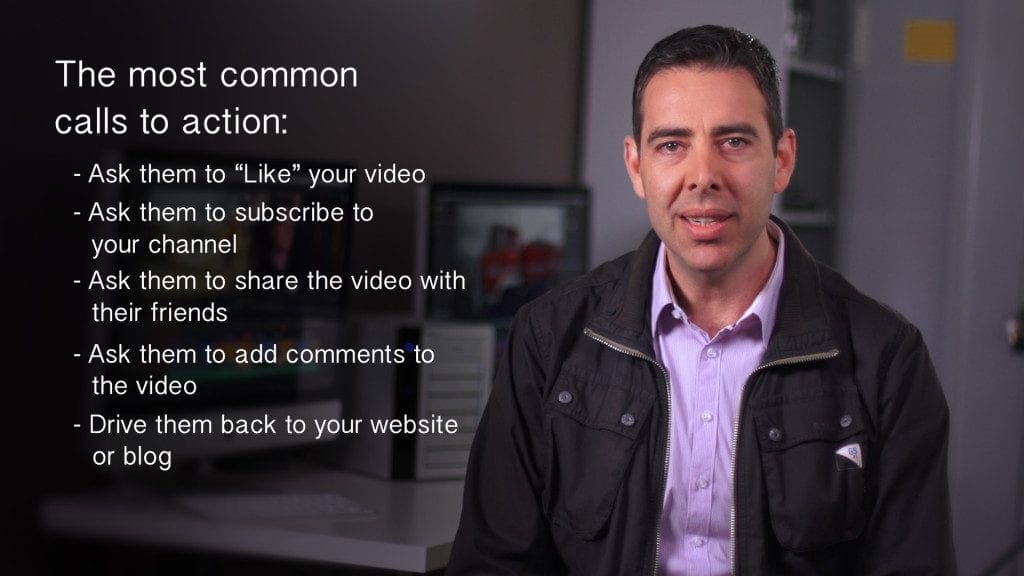
A simple checklist for video calls to action
- The CTA appears where the viewer has enough context to decide
- It is visually clear and easy to notice
- The language is direct and specific
- The action matches the goal of the video
- The next step requires minimal effort
Check the full path from the prompt to the destination, including how it works on a phone. Our video and web design guide covers placement and how the video works with the rest of the page.
Using calls to action as part of a wider video strategy
Calls to action work best when they are part of a considered video strategy rather than an afterthought.
Understanding where a video sits in the buying or decision-making process helps determine what the CTA should ask for. Some viewers need more information. Others are ready to talk. Our guide to video in the sales cycle shows how content can answer questions at different stages.
At Dream Engine, we help Melbourne businesses decide what to ask viewers to do, where to place the prompt and which page it should lead to.
If you are looking to create videos that help viewers take the next step, get in contact with Dream Engine to discuss the right approach.
A clear next step
Calls to Action in Video: Frequently Asked Questions
Connect the prompt with a useful destination.
What is a call to action in a video?
A call to action in a video is a prompt that tells the viewer what to do next. This is usually shown as text, a button, or a clickable link that appears during or at the end of the video.
Where should a call to action appear in a video?
The end is a useful starting point, but some viewers will leave earlier. Consider a relevant prompt during a longer video or a link beside the player, and test which placement produces useful responses.
What makes a good video call to action?
A good video call to action is clear, direct, and easy to understand. It explains exactly what will happen next and requires minimal effort from the viewer.
Should every video include a call to action?
Most business videos should include a call to action, even if it is a soft one such as learning more or visiting a related page. Without a clear next step, viewer attention is often lost.
Can calls to action increase enquiries from video?
They can make the next step easier for an interested viewer. Results depend on the audience, offer, placement and destination page. Measure completed enquiries as well as clicks to see whether the prompt is helping.

Ryan Spanger is the founder and managing director of Dream Engine, a Melbourne video production company established in 2002. Over the past two decades, he’s produced hundreds of videos for businesses, government departments, universities and healthcare organisations across Australia. Ryan specialises in helping organisations explain complex ideas through clear, engaging video content, with particular experience in corporate communications, training and education.