The Power of 2D Explainer Animation in Simplifying the Complex
Every business has a message to share, but some ideas are more difficult to convey than others. Whether it’s a new technology, a financial service, or a scientific breakthrough, complex topics can feel overwhelming to audiences. If people don’t understand what you’re offering, they’re unlikely to engage.
That’s where 2D explainer animation comes in. Unlike live-action videos or written explanations, 2D animation has a unique ability to simplify intricate concepts, making them easy to grasp, engaging, and memorable. With its flat, colourful, and visually appealing style, it’s the perfect tool for breaking down complexity and turning complicated ideas into clear, compelling stories.
What is 2D Explainer Animation?
2D explainer animation is a short, engaging video that uses simple, flat-style graphics and motion to break down complex ideas into easy-to-understand visuals. These videos often feature characters, icons, and text animations that guide the viewer through a concept in a structured, digestible way.
Businesses use 2D explainer animation for a variety of purposes, including:
Product and service overviews – Showcasing how a product works or the benefits of a service.
Educational content – Simplifying technical or industry-specific information.
Internal communication – Helping employees understand new processes or company policies.
Marketing and branding – Creating engaging content that resonates with customers and prospects.
2D animation is particularly effective for addressing challenges such as:
Communicating abstract concepts – Making intangible ideas, such as cybersecurity or artificial intelligence, more accessible.
Condensing information – Transforming long, text-heavy explanations into engaging, easy-to-follow narratives.
Keeping audiences engaged – Using motion, colour, and storytelling to hold attention in ways that static content or live-action videos often struggle to achieve.
2D animation
1. Turning Complexity into Clear Visuals
Sometimes, words alone aren’t enough to explain a complicated concept. 2D explainer animation can strip away unnecessary details and focus on the key message, using simple yet effective visuals to guide the audience’s understanding.
For example, Digitary, an online platform that helps users securely share documents, needed to explain how their system works. Instead of relying on a text-heavy website or a lengthy user manual, they used a 2D animated explainer video to break down the process. Through clear visuals and step-by-step motion graphics, the video demonstrated how users could safely upload, verify, and share documents. This made it much easier for potential users to understand the platform’s value and functionality in just a few minutes.
2. Engaging and Holding Attention
People process visuals much faster than text, and 2D animation naturally grabs attention with its movement, colour, and dynamic transitions. In an era of short attention spans, explainer videos help businesses keep viewers engaged for longer.
For instance, a government department might need to explain a new policy or public initiative that affects a large audience. These strategies are often complex, filled with technical jargon, and difficult for the general public to digest. A 2D explainer animation can simplify the message by using clear visuals and step-by-step storytelling, making the initiative more accessible and relatable to citizens. This approach ensures that important information is not only communicated but also understood and remembered.
3. Making the Abstract Tangible
Some ideas are impossible to capture with a camera. 2D animation enables businesses to visualise things that are invisible to the naked eye or too abstract to be captured on film.
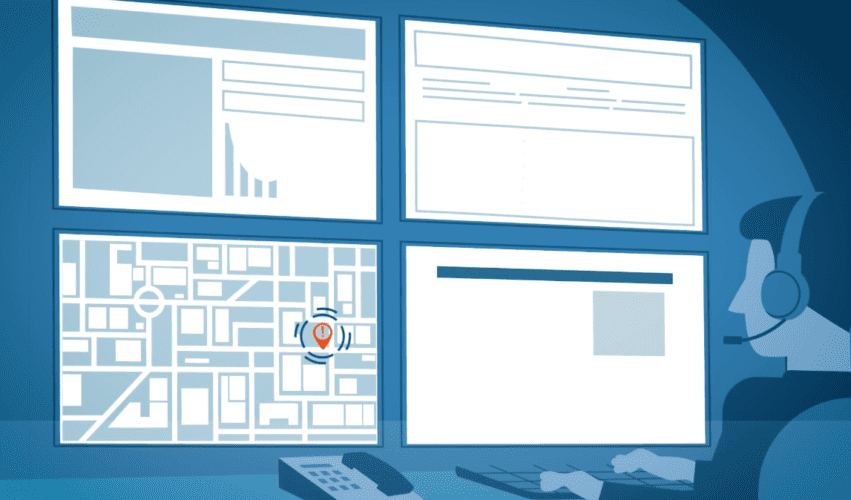
For example, Motorola Solutions needed to explain how its suite of security devices integrates seamlessly across various environments. Instead of relying on technical specifications or static diagrams, they used a 2D animated explainer video to illustrate how their security cameras, radio communication systems, and AI-powered monitoring tools work together. The animation clearly demonstrated how these devices create a connected security network, making it easy for businesses and government agencies to understand the full value of their solution.
4. Flexibility for Different Platforms
One of the biggest advantages of 2D explainer animation is its adaptability. A single animated video can be repurposed for use on social media, websites, presentations, and training materials, ensuring consistency across various platforms.
A business can take a 2D animated explainer video and break it down into shorter clips for Instagram, LinkedIn, or TikTok, making the content more versatile and maximizing its reach. Unlike live-action videos, which may require costly reshoots, 2D animations can be easily updated to reflect new information or changes in branding.
5. Storytelling That Connects Emotionally
Beyond making information clear, 2D animation has the power to tell stories that connect with audiences on an emotional level. With the right visuals, sound, and narrative, animated explainer videos can make even the driest topics feel engaging and meaningful.
For instance, a sustainability brand might use 2D animation to tell the story of how plastic waste is transformed into a recycled product. By using animated characters, playful transitions, and metaphorical imagery, animation can create a deeper emotional impact than facts and figures alone.
The Bottom Line
If your business needs to explain a complex idea, 2D explainer animation is one of the most effective tools available. It simplifies difficult concepts, engages viewers, and brings abstract ideas to life in a way that traditional video or text can’t match.
Whether you’re launching a new product, educating customers, or training employees, 2D animation can help you communicate your message with clarity and impact. If you’re ready to turn your complex ideas into compelling stories, 2D explainer animation might be the perfect solution.
Are you looking to use 2D animation to simplify a complex idea for your business? Contact us to discover how we can bring your vision to life!

Ryan Spanger is one of Melbourne’s most respected and sought-after video production professionals. Ryan founded Dream Engine in 2002, and specialises in helping medium to large corporates, government departments, and the non-profit sector to connect with their audience more effectively by using video.