Most companies can get their staff to attend an internal livestream webinar. Very few can hold their attention for more than twenty minutes. And you feel it when you’re running one.
When you’re live, with thousands of people watching across the country, there’s a certain pressure. You can’t just hide behind slides. Every transition, every pause, every moment where the energy drops becomes obvious.
It’s one thing to get people to log in. It’s another to hold their attention once they’re there. When people start getting distracted, they can stop following what’s being said. They hear parts of it, miss key context, and fill in the gaps themselves. Across a large organisation, this leads to inconsistent understanding, repeated questions, and you end up having to explain things again that should have been clear the first time.
A company-wide webinar is one of the few moments where everyone is focused on the same message at the same time. It’s a shared moment. The company leaders are there. People are tuned in together. If that moment is lost, it is hard to recreate.
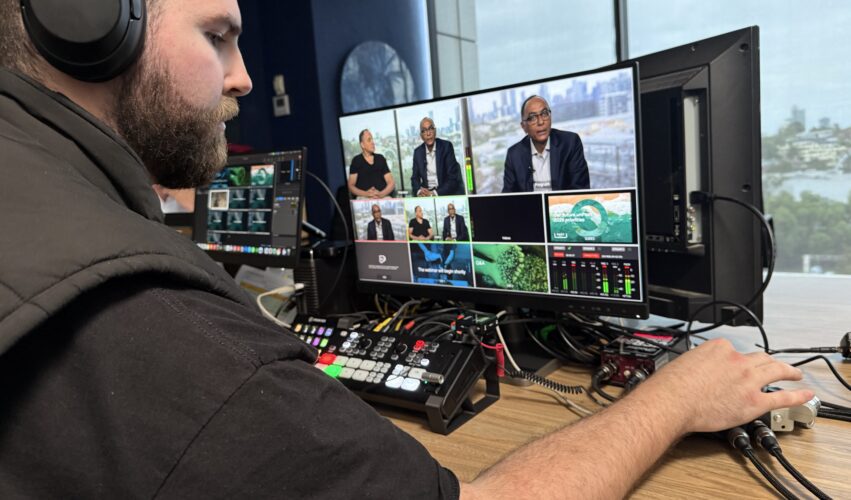
We recently produced a livestream for PACT Group that approached this differently. The session lasted 2 hours and was delivered via Microsoft Teams, making it easy for staff to access. At the same time, it felt closer to an internal TV program than a typical meeting.
This is exactly the kind of project where live streaming in Melbourne becomes less about the platform and more about how the event is designed and produced.
This article breaks down how to approach internal webinars as interactive broadcasts, ensuring they hold attention, communicate clearly, and create a better experience for viewers.
What Most Internal Webinars Get Wrong (and Why It Matters)
Most internal webinars rely on a simple structure: A sequence of speakers, supported by slides, delivered over a long stretch of time with very little variation.
The format can deliver information. It just struggles to hold people’s attention.
And when their attention drops, they can disengage. They stay logged in, but they are no longer fully present. They check emails, switch tabs, or half-listen while doing other work. People hear it, but they don’t really fully take it in.
Across a business, that has real consequences. Teams leave with different interpretations of the same message. Important details are missed. Managers need to repeat or reinterpret information for their teams. Decisions slow down because people aren’t on the same page.
There’s also a longer-term effect. If internal communication consistently feels flat or difficult to sit through, people start to disengage from it altogether. Future sessions are treated the same way. Attendance might remain high, but attention continues to decline.
At that point, the organisation is communicating, but not effectively communicating the message.
What an Engaging Webinar Actually Does
When the format is engaging, the outcome can be really different: People stay with the session for longer and absorb more of what is being communicated. The message is clearer, and there’s less need for follow-up explanation. Teams leave with a more consistent understanding, which makes execution smoother across the business.
There’s also a broader effect on how people experience the organisation. When they can see different parts of the business, hear from a range of voices, and feel included in the session, it creates a stronger sense of connection. The company becomes more visible and more coherent.
An engaging webinar is not just easier to watch. It is more effective at doing the job it was intended to do.
From Meeting to Interactive Broadcast
A better way to think about a company-wide webinar is to treat it like an interactive broadcast.
When something feels like a broadcast, people expect it to be put together properly. Clean visuals, clear audio, and a pace that makes sense. It signals that this is worth paying attention to.
That alone changes how people behave.
A typical meeting sets a low bar. Laptop webcam, average lighting, patchy audio. It feels casual, so people treat it that way. They half-watch, check emails, drift in and out.
A broadcast lifts the standard. It tells people this is something worth watching.
When you add live interaction, it works much better. The structure keeps people watching, and the interaction keeps them involved.
For the PACT session, it ran through Teams, but it didn’t feel like a Teams meeting. It felt like a proper internal program with live interaction built in.
A Quick Comparison: Meeting vs Interactive Broadcast
It’s useful to make this distinction concrete.
A typical internal meeting on Microsoft Teams often looks like this:
• Single webcam view
• Dim or inconsistent lighting
• Audio that feels distant or uneven
• Long stretches of talking
• Heavy reliance on slides
• Minimal variation in format
It’s familiar, but it’s also easy to tune out. You can half-watch it while doing something else and not feel like you’ve missed much.
An interactive broadcast looks very different:
• Multiple cameras and controlled framing
• Clean lighting and clear, present audio
• Structured segments with defined pacing
• Pre-produced video integrated throughout
• Designed moments for audience interaction
It feels deliberate. It asks for attention, and people respond to that.
The content may be similar in both cases. The experience is not.
The Framework: How to Build a Better Internal Webinar
Structure and Run Sheet
A two-hour session needs structure. Without it, the format goes flat and people lose focus.
For this webinar, we built a run sheet that alternated between live segments and pre-produced content. We broke leadership updates into shorter sections, inserted video segments, and set a clear Q&A block. That mix created a rhythm that held attention from start to finish.
Avoid long stretches of the same format. Switch between speakers and video to reset attention and keep people engaged.
Build a detailed run sheet. It keeps timing tight, makes transitions clear, and ensures everyone knows exactly how the session will run.
Pre-Produced Video (The Key to Engagement)
This was the most important element in the session.
We produced twelve short videos, each around two minutes long. They were designed to be interesting, upbeat, and visually engaging. Each video focused on different people, processes, and parts of the business across the country.
For example, one of the videos followed a team inside a factory, showing the actual process on the ground rather than describing it in a slide. You could see the environment, the people involved, and how the work was done. In under two minutes, it gave far more context than a five-minute explanation ever could.
These videos broke up the live content and stopped the session from turning into a long stretch of talking. They brought in different environments and voices, which helped people see more of the organisation and how it fits together. They also showed ideas on screen, which lands faster than explaining the same thing out loud.
Because we pre-produced them, we kept them tight. Clean edits, strong visuals, music, and clear titles meant no drift. Each video delivered a specific point and then got out of the way.
Across a two-hour webinar, those twelve videos created a steady rhythm. The audience moved between live discussion and video, which kept the experience varied and held attention.
High Production Quality
Production quality is not about making things look impressive for its own sake. It directly affects engagement.
If someone is watching a speaker on a laptop webcam with poor lighting and inconsistent audio, it feels informal and easy to ignore. Even if the content is important, the presentation works against it. People disengage without really noticing that they have done so.
When the production is considered, the response changes.
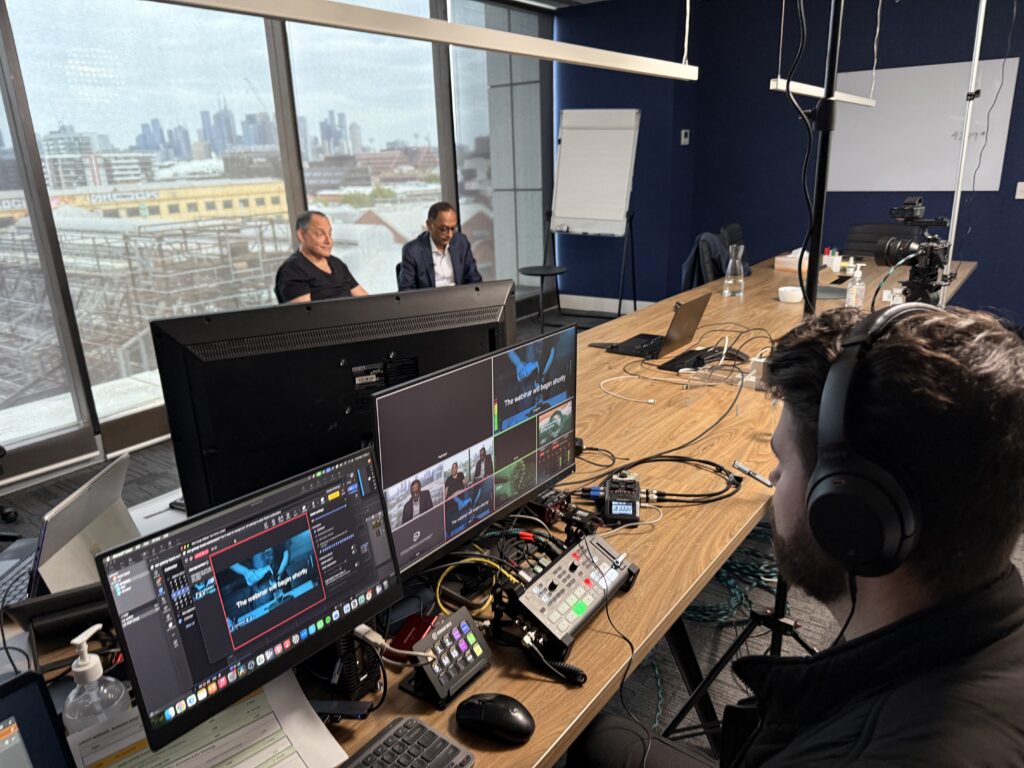
For this session, we filmed in the client’s boardroom using a three-camera setup. That created visual variation and made the live segments feel more dynamic. This is a common approach for webinar production in Melbourne, where the goal is to create a controlled, professional environment without needing a full studio.Lighting was controlled so presenters looked consistent and clear on screen. Audio was clean and reliable, which removed friction for the viewer.
We also used professional titles, transitions, and music to tie everything together. Combined with the twelve short, well-produced videos, the session felt cohesive from start to finish.
This level of polish does something important: It signals intent. It tells the audience that this is not just another internal call. It is something that has been put together properly, and it is worth their attention.
Audience Interaction (What Makes It an Interactive Broadcast)
The fact that attendees could interact and ask questions live on the webinar elevated it from just an experience of watching content.
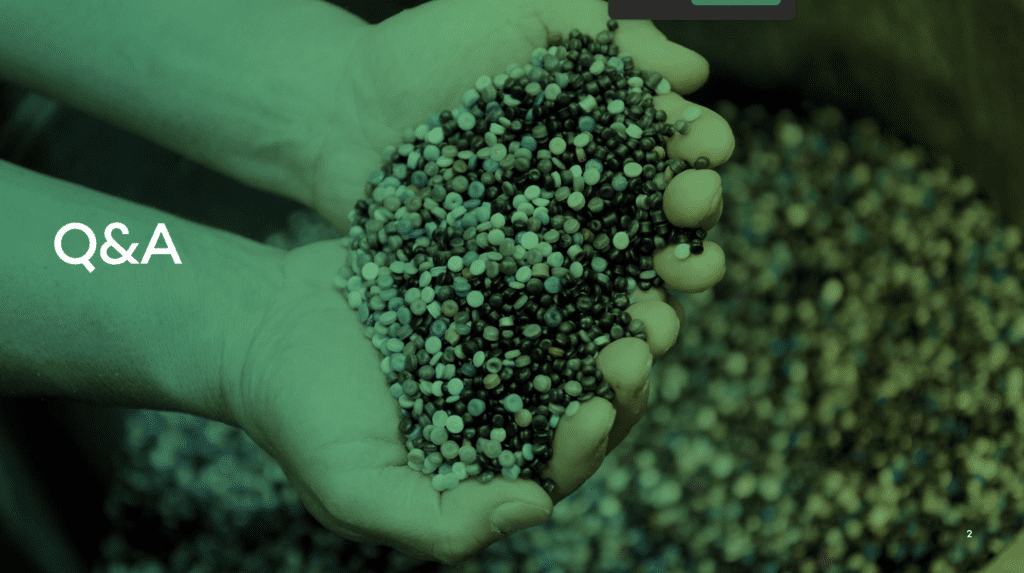
The session included a live Q&A with senior leadership. This allowed participants to ask questions and hear responses in real time. It changed the way people engaged with the session.
The key is to design interaction into the run sheet, with clear timing and structure, so it supports the overall flow of the session.
Quantifying the Value (Why This Is Worth the Investment)
A broadcast-style webinar requires more planning, more coordination, and a higher level of production. It’s a larger investment than running a standard internal call.
The question is whether the return justifies that investment.
Consider a simple scenario. If 2,000 employees attend a two-hour webinar, that is 4,000 hours of attention. If most of that time is only partially engaged, a large portion of that investment is wasted. The organisation still pays for the time, but does not get the full value of the communication.
When the session is engaging, that same time becomes far more valuable. People really take in the message. They get a clearer picture of how the business operates, what different divisions are doing, and how their work connects to the broader organisation. Seeing real people and real environments across the business helps make that understanding stick in a way that slides and talking points rarely do.
That has practical benefits. Teams work better because everyone’s clear on what’s going on. There’s less confusion, fewer things need to be explained again, and managers spend less time repeating or clarifying the message later.
There’s also a company culture side to it: When a company puts genuine effort into how it communicates internally, it signals respect. It shows that people’s time and attention are valued. An engaging, well-produced session feels thought through.. It feels like something that was put together for them, not something they are expected to sit through.
When you look at it this way, the investment goes beyond production. It helps people across the business understand things properly, connect with what other teams are doing, and make better use of the rare moment when everyone is tuned in at the same time.
Case Study: The PACT Webinar
The PACT webinar lasted 2 hours and was delivered via Teams, making it easy for thousands of staff to join.
The session was structured around a mix of live segments and pre-produced video. Twelve short, well-produced videos were placed throughout the run. Each one highlighted different parts of the business, from people on the ground to processes in different locations.
The live segments were supported by a three-camera setup, professional lighting, and clear audio. Graphics and music helped tie everything together.
The result was a carefully planned and orchestrated session. It moved at a steady pace, offered variety, and maintained engagement over a long duration.
The client response was strong, and feedback from viewers reflected that the experience felt different from a standard internal webinar.
When to Use Pre-Recorded, Live, or Interactive Broadcast
Not every situation requires the same approach.
A fully pre-recorded session can work well when the message needs to be tightly controlled and there is no need for real-time interaction. It allows for precision and eliminates the risk of live issues.
A traditional live webinar works when speed and simplicity are the priority, but it comes with the limitations already discussed.
An interactive broadcast sits between the two. It combines the control of pre-produced content with the presence and engagement of a live session. This is often the most effective approach for company-wide communication, where both clarity and connection matter.
Common Mistakes to Avoid
A typical organic Teams meeting can lead to uneven delivery and long stretches where the energy drops off. Leaning too heavily on slides makes things feel flat and less engaging. And without a proper run sheet, timing can drift, and transitions can get awkward.
Production is often underestimated as well. Poor audio or lighting can take the edge off the whole session, no matter how good the content is.
Another common trap is assuming the topic itself will hold people’s attention. In reality, you need to actively keep people engaged from start to finish.
How to Get Started Without Overcomplicating It
You don’t need to overhaul everything at once.
Start with a clear run sheet that breaks the session into segments. Introduce one or two short pre-produced videos to support key messages. Improve audio and lighting so the presentation feels more deliberate. Assign a host to guide the session and manage timing.
These changes are relatively simple but can significantly improve the session experience.
Final Thought
A company-wide webinar is one of the few times an entire organisation focuses on the same message at the same time.
Treat it like a broadcast with interaction built in, and people stay with it. They follow what’s being said, understand how it applies to them, and feel included rather than talked at.
The content already matters. The difference comes down to how you deliver it and how you bring people into the experience.
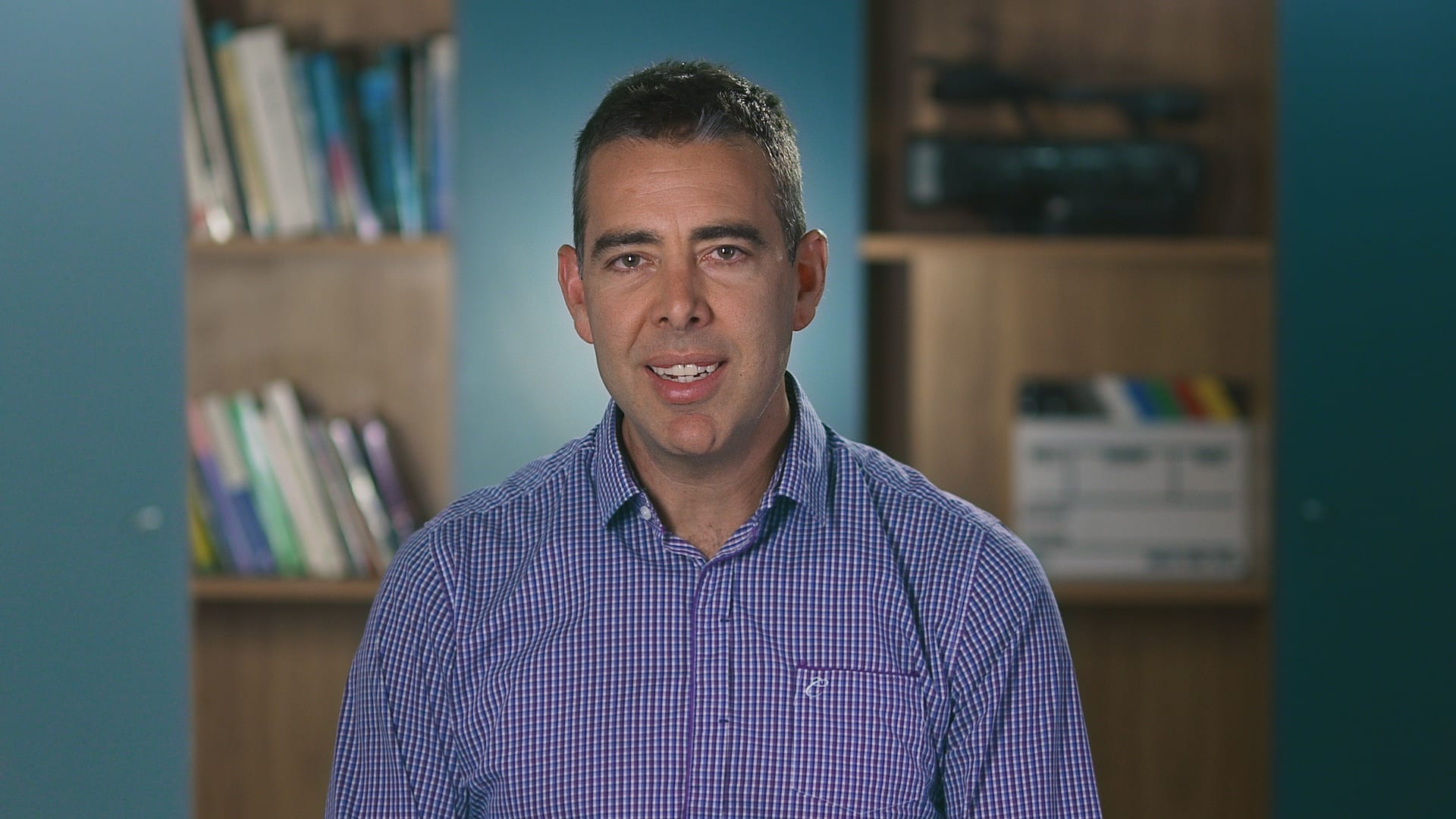
Ryan Spanger is the founder and managing director of Dream Engine, a Melbourne-based video production company established in 2002. With more than two decades of experience, Ryan has helped leading Australian businesses, government departments, and non-profits communicate their message with clarity and impact through video. He’s known for his strategic approach, reliable process, and commitment to producing videos that deliver measurable results.