If you’ve never worked with a professional live streaming company before, it’s easy to assume the process is fairly straightforward. A crew arrives with some cameras, plugs everything in, connects to the internet, and starts streaming. The reality is usually very different.
By the time viewers join a live stream, there may already have been weeks of planning and many hours of preparation. Graphics have been designed, presenters have been briefed, internet connections have been tested, backup systems have been configured, and technical rehearsals have taken place. Much of this work is invisible to the audience, which is exactly how it should be. Most of this preparation has a single purpose: reducing the chances of technical problems and helping the event run smoothly for both the audience in the room and those watching online.
When a live stream runs smoothly, nobody thinks about the preparation behind it. People focus on the content, the speakers, and the message being delivered. The goal of the production team is to remove distractions and minimise risk so the audience can concentrate on the speakers. That’s why choosing the right live streaming provider is so important. Here’s a look at what typically happens before a professional live stream goes live.
What to Know When Planning a Live Stream
Understanding what happens before a live stream begins can help you make better decisions when organising your event. It provides a clearer picture of what your provider should be asking, why rehearsals are needed, why internet testing cannot be left until the last minute, and why professional live streaming involves much more than simply placing cameras in a room.
It can also help you compare providers more accurately. Two companies may appear to offer similar equipment, but one may be investing significantly more time in planning, testing, rehearsals, contingency preparation and presenter support. These are often the parts of the process that reduce risk on event day.
A Typical Live Streaming Timeline
-
- 2-6 weeks before: Planning meetings, technical discussions and platform selection.
- 1-2 weeks before: Graphics preparation, run sheet development and presenter coordination.
- Several days before: Remote presenter testing and rehearsal planning.
- Event day: Equipment setup, internet testing, audio checks and production preparation.
- 1 hour before: Presenter briefings and final rehearsals.
- 15 minutes before: Final technical checks and stream verification.
- Event begins: Live production, monitoring and audience support.
Planning Starts Well Before Event Day
Long before any equipment arrives at the venue, careful planning of the live stream event takes place. This is where the production team works with the client to understand the format of the event, the number of presenters, the viewing audience, choosing the most appropriate live streaming platform, and any technical requirements.
At this stage, a lot of important decisions are made. Will there be remote presenters joining from interstate or overseas? How will audience questions be managed? Will slides be displayed during the presentation? Does the event need to be recorded for on-demand viewing later? What level of branding and graphics will be required?
These discussions help shape the technical approach and ensure there are no surprises on the day. The more preparation that happens before the event, the more smoothly things tend to run once people start arriving.
Understanding the Venue
Every venue is different. A hotel ballroom presents different challenges to a university lecture theatre. A conference centre has different requirements to a warehouse, a boardroom, or a construction site. Before the event, it’s common to review venue information and sometimes conduct a site inspection. This allows the team to identify camera positions, understand power requirements, assess internet availability, and determine how equipment will be brought into the space.
Some venues have excellent infrastructure and dedicated event facilities. Others require a bit more problem-solving. Understanding these details in advance helps avoid delays and gives the production team a clearer picture of how the day will unfold.
Access and Logistics
One of the less visible parts of live streaming is simply getting everything into the building. Many venues have strict loading schedules, security procedures, lift restrictions, or limited access points. In some cases, crews need to coordinate with venue management weeks beforehand to arrange access. Large events may involve multiple cases of equipment that need to be moved through loading docks, service lifts, or secure areas before setup can begin.
Access and setup need careful planning. Delays during bump-in can affect the entire production schedule, so careful planning helps ensure everything stays on track.
Bump In and Equipment Setup
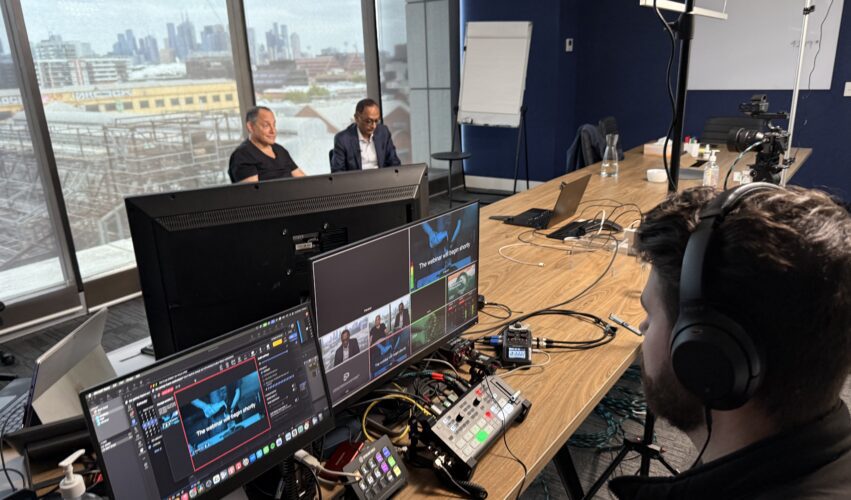
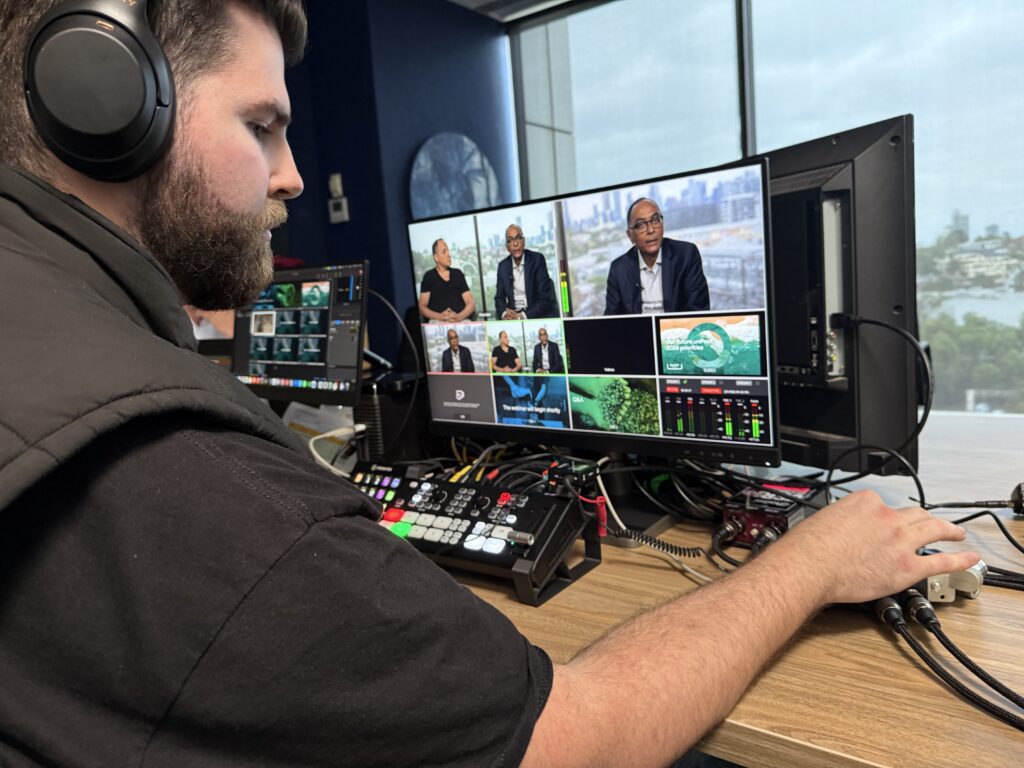
On the day of the event, the crew will typically arrive several hours before the audience. The first stage is bump-in and setup. Cameras are positioned, tripods are assembled, production equipment is installed, cables are run throughout the venue, and monitoring stations are established. Depending on the size of the event, there may also be lighting, vision switching equipment, audio systems, recording devices, and communication systems to set up.
Safety is also an important consideration. Cables need to be secured properly to avoid trip hazards, equipment needs to be positioned safely, and work areas need to be organised so the production can operate efficiently throughout the event. While attendees may only see a few cameras around the room, there is often a substantial amount of infrastructure supporting the broadcast behind the scenes.
Testing the Internet Connection
Once the equipment is in place, one of the first things we usually test is the internet connection. Most venues will tell you they have internet available, but that doesn’t automatically mean it’s suitable for live streaming. Upload speeds need to be tested, network access verified, and connection stability assessed.
We’ve arrived at venues where access permissions weren’t configured correctly, where the available connection was much slower than expected, or where the designated network port wasn’t active. These issues are usually straightforward to solve, but they’re much easier to deal with during setup than five minutes before the event begins.
Whenever possible, a wired internet connection is preferred over WiFi. Many productions also include backup internet options using mobile networks so there is a contingency plan if the primary connection encounters problems.
Audio Is Often the Biggest Priority
Many people focus on cameras when they think about live streaming, but audio is often even more important. Viewers will often tolerate a slightly imperfect camera angle. They are much less forgiving of poor sound quality. If the audio is difficult to hear or understand, people will usually stop watching very quickly.
For that reason, a significant amount of time is spent testing microphones, checking audio levels, and ensuring clean audio feeds are available throughout the event. This is one of the reasons organisations often work with an experienced live streaming company when they need a reliable, good-quality broadcast. Depending on the venue, the live streaming team may provide the audio system directly or work alongside an in-house AV company.
It’s common to test every microphone individually and monitor audio throughout rehearsals. Many productions also include an independent audio recording as an additional layer of protection should anything unexpected happen during the event.
Graphics and Branding Preparation
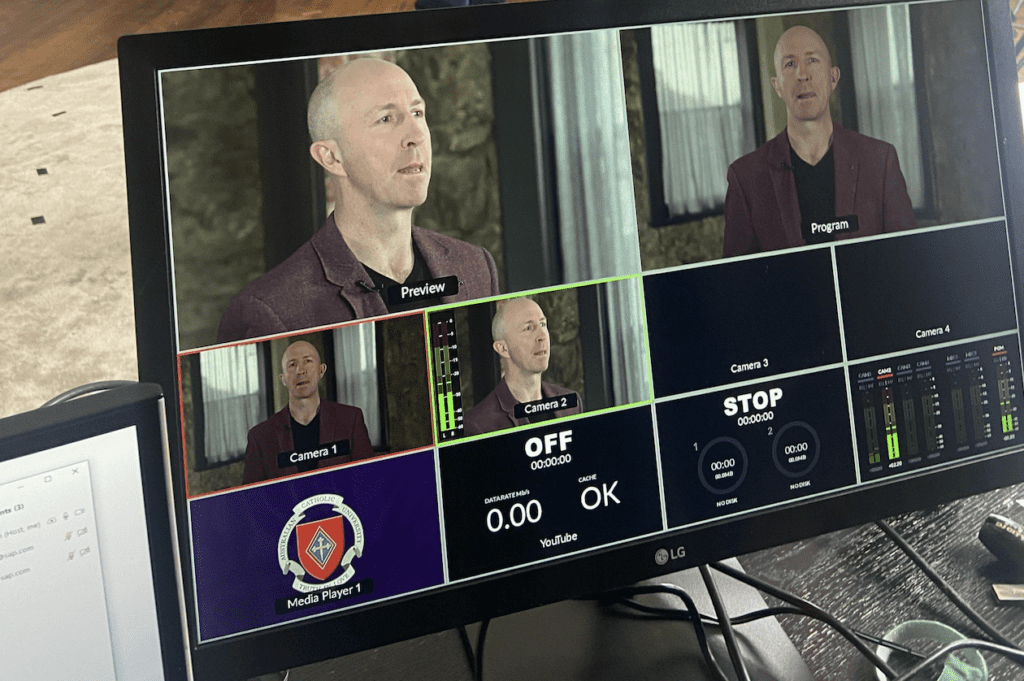
Most professional live streams include branded graphics that help create a polished viewing experience. Presenter name captions, sponsor logos, title graphics, holding slides, countdown timers, and presentation overlays are often prepared before the event begins. These graphics may seem simple when viewed on screen, but they require planning and testing to ensure everything appears correctly during the broadcast.
The online audience experiences the event differently to people sitting in the room. Graphics help provide context, reinforce branding, and create a more professional viewing experience for remote attendees.
Working With Remote Presenters
Many events now include presenters joining remotely. While this offers flexibility, it also introduces another layer of complexity. Before the event, remote presenters are usually tested to confirm their internet connection, camera setup, microphone quality, and familiarity with the platform being used.
A short test session can prevent a surprising number of problems. It is far better to discover an issue a few days before the event than five minutes before someone is due to present to hundreds of viewers. These sessions also give presenters confidence. A quick rehearsal often helps people feel more comfortable and focus on their content rather than the technology.
Building Redundancy Into the Production
One of the biggest differences between a professional live stream and a simple online meeting is the amount of redundancy built into the system. Experienced production teams assume that equipment can fail. Internet connections can drop out. Presenters can encounter technical issues. Unexpected things happen at live events.
For that reason, backup systems are often built into the production from the beginning. This may include backup internet connections, secondary recording systems, spare microphones, additional cables, duplicate presentations, and alternative audio paths. Most viewers will never know these systems exist. The purpose of redundancy is to ensure that, if something goes wrong, the audience experiences little or no disruption.
Coordinating With Other Suppliers
Live streaming crews rarely work alone. At many events, venue staff, AV companies, photographers, event managers, MCs, stage managers, presenters, and IT teams all work toward the same outcome.
Good communication becomes critical. Everyone needs to understand their responsibilities and how their work fits into the broader event. A clean audio feed may depend on coordination with the AV company. Presentation timing may rely on communication with the event manager. Internet access may require assistance from the venue’s IT team. The technical side of live streaming is important, but successful events often come down to teamwork and communication.
Presenter Briefings and Rehearsals
Before the audience arrives, presenters are usually briefed and rehearsed. This gives everyone an opportunity to become familiar with the room, test microphones, review slides, and discuss how the event will run. It is also a chance to answer questions and help presenters feel comfortable with the technology.
Rehearsals are often where small issues reveal themselves. A presenter may discover a slide isn’t displaying correctly. A video embedded in a presentation might not play as expected. A remote guest may need help adjusting their microphone or camera position. None of these situations are unusual, which is exactly why rehearsals are valuable. Identifying these issues before the audience arrives is far preferable to discovering them during the live event.
Reviewing the Run Sheet
The run sheet is effectively the roadmap for the event. Every speaker, presentation, video, audience interaction, and transition is typically documented and reviewed by the production team. Understanding the timing and flow of the event helps everyone stay coordinated and ensures the production can respond quickly if schedules change.
Live events rarely run exactly to schedule. Presentations sometimes run long, speakers occasionally arrive late, and agenda changes are not uncommon. A well-prepared run sheet provides the team with a framework that allows them to adapt while maintaining control of production.
Final Checks Before Going Live
In the final minutes before the event begins, there is usually a last round of testing. Audio levels are verified, graphics are reviewed, cameras are checked, recordings are confirmed, and internet connections are monitored. The team will often conduct a final review of the stream itself to ensure viewers are receiving the intended experience.
By this point, many hours of preparation have already taken place. The final checks are there to provide confidence that everything is ready before the audience joins.
What Happens During the Live Stream?
Once the broadcast begins, the work continues. Camera operators adjust shots as presenters move around the stage. Audio is monitored continuously. Graphics are triggered at the appropriate moments. Remote presenters are managed. Questions are monitored. Recordings are checked. The health of the stream is observed throughout the event.
At the same time, someone is usually monitoring the audience experience. This means checking that viewers can hear the presenters clearly, see the slides properly, and access the stream without difficulty. From the audience’s perspective, the event may appear effortless. Behind the scenes, the production team is constantly paying attention to the details.
Managing Problems Before They Become Problems
One of the most valuable parts of an experienced live streaming team is the ability to identify issues early. Over the years, we’ve encountered situations where the venue’s internet wasn’t configured correctly, presentation laptops weren’t outputting properly, audio feeds contained unexpected noise, and event schedules changed at the last minute. Most live events include some form of challenge.
The goal isn’t to create a perfect world where nothing ever goes wrong. The goal is to identify issues early, prepare for them where possible, and respond calmly when they arise. Good preparation dramatically improves the chances of a smooth event and gives the team more options when unexpected situations occur.
Recording and Post-Event Delivery
For many organisations, the value of the event doesn’t end when the live stream finishes. The recording often becomes a valuable asset for training, internal communications, marketing, or on-demand viewing. Because of this, professional productions usually include recording systems running alongside the live broadcast.
After the event, recordings are checked, backed up, and delivered. In some cases, highlight reels, edited presentations, or social media clips are also created. A single live event can continue generating value long after the audience has left.
Problems We Commonly Discover During Setup
Many of the issues that affect live streams are identified long before the audience arrives.
Over the years, we have encountered situations where:
- The venue internet connection was significantly slower than expected.
- A network port had not been activated.
- Venue access arrangements had changed at the last minute.
- A presentation laptop could not output correctly to the display system.
- Embedded videos inside a presentation would not play.
- A remote presenter joined with no working microphone.
- Audio feeds contained unexpected noise or distortion.
- Last-minute agenda changes required graphics to be updated immediately before the event.
Most of these issues are relatively easy to solve when discovered during setup. They become much more difficult when discovered five minutes before the audience joins.
How Early Does a Live Streaming Crew Arrive?
One question we are often asked is how early a live streaming crew arrives before an event.
For a simple webinar, setup may begin two to three hours before the event. For conferences, awards nights, company updates and hybrid events, crews may arrive half a day earlier or even the day before.
The answer depends on the complexity of the production, the venue, the amount of equipment involved and how much testing is required before going live.
A common mistake is assuming setup only involves unpacking cameras. In reality, much of the time is spent testing systems, coordinating with venue staff, confirming audio, reviewing presentations and ensuring every part of the production is ready before the audience arrives.
Why Preparation Often Influences Cost
When comparing live streaming quotes, much of the difference is often found in the preparation rather than the equipment.
Two providers may use similar cameras and streaming technology, but one may allow significantly more time for planning, rehearsals, testing, backup systems and technical support.
This preparation is largely invisible to the audience, but it can have a major impact on the success of the event. In our experience, many of the problems that occur during live events can be traced back to decisions made during planning rather than the equipment itself.
Pre-Live Stream Preparation Checklist
- Confirm the event format and objectives.
- Select the most appropriate streaming platform.
- Review venue logistics and access requirements.
- Test the internet connection.
- Confirm camera positions and audio requirements.
- Prepare graphics, holding slides and branding.
- Test remote presenters.
- Review presentations and video playback.
- Confirm backup internet and recording systems.
- Brief presenters before the event.
- Conduct final technical checks before going live.
Why a Live Stream Needs This Much Preparation
A professional live stream involves far more than cameras and internet connections. It is a combination of planning, testing, communication, rehearsal, contingency planning, and technical execution.
Most viewers will never notice the internet testing, backup systems, presenter briefings, graphics preparation, audio checks, or coordination taking place behind the scenes. In many ways, that’s the goal. When everything is properly prepared, the audience simply experiences a smooth, professional event.
For organisations planning an upcoming conference, webinar, awards night, town hall, or hybrid event, understanding what happens before a live stream starts can provide a greater appreciation for the preparation involved. While much of this work remains invisible to the audience, it plays a significant role in helping the event run successfully from beginning to end.
If you’re planning an upcoming event and would like support with the technical side of live streaming, you can learn more about our Live Streaming Melbourne services.
Frequently Asked Questions
How long does it take to set up a live stream?
The setup time depends on the complexity of the event. A simple webinar may require a few hours of preparation, while larger conferences, awards nights and hybrid events may require half a day or more, particularly when rehearsals and multiple presenters are involved.
Do live streaming companies test the internet before an event?
Professional live streaming companies will generally test internet speed, reliability and network access before going live. Many productions also include backup internet options to reduce risk if the primary connection encounters problems.
Do we need a rehearsal before a live stream?
For simple presentations a rehearsal may not be necessary, but for events involving multiple presenters, remote guests, audience interaction or complex run sheets, rehearsals can significantly reduce the likelihood of technical and operational issues.
What happens if the internet connection fails?
This depends on the contingency measures in place. Professional productions often include backup internet connections, local recordings and alternative workflows designed to minimise disruption if technical issues occur.
Can remote presenters join a professional live stream?
Yes. Many live streamed events include presenters joining remotely. These presenters are usually tested before the event to confirm their internet connection, camera quality, microphone setup and familiarity with the platform.
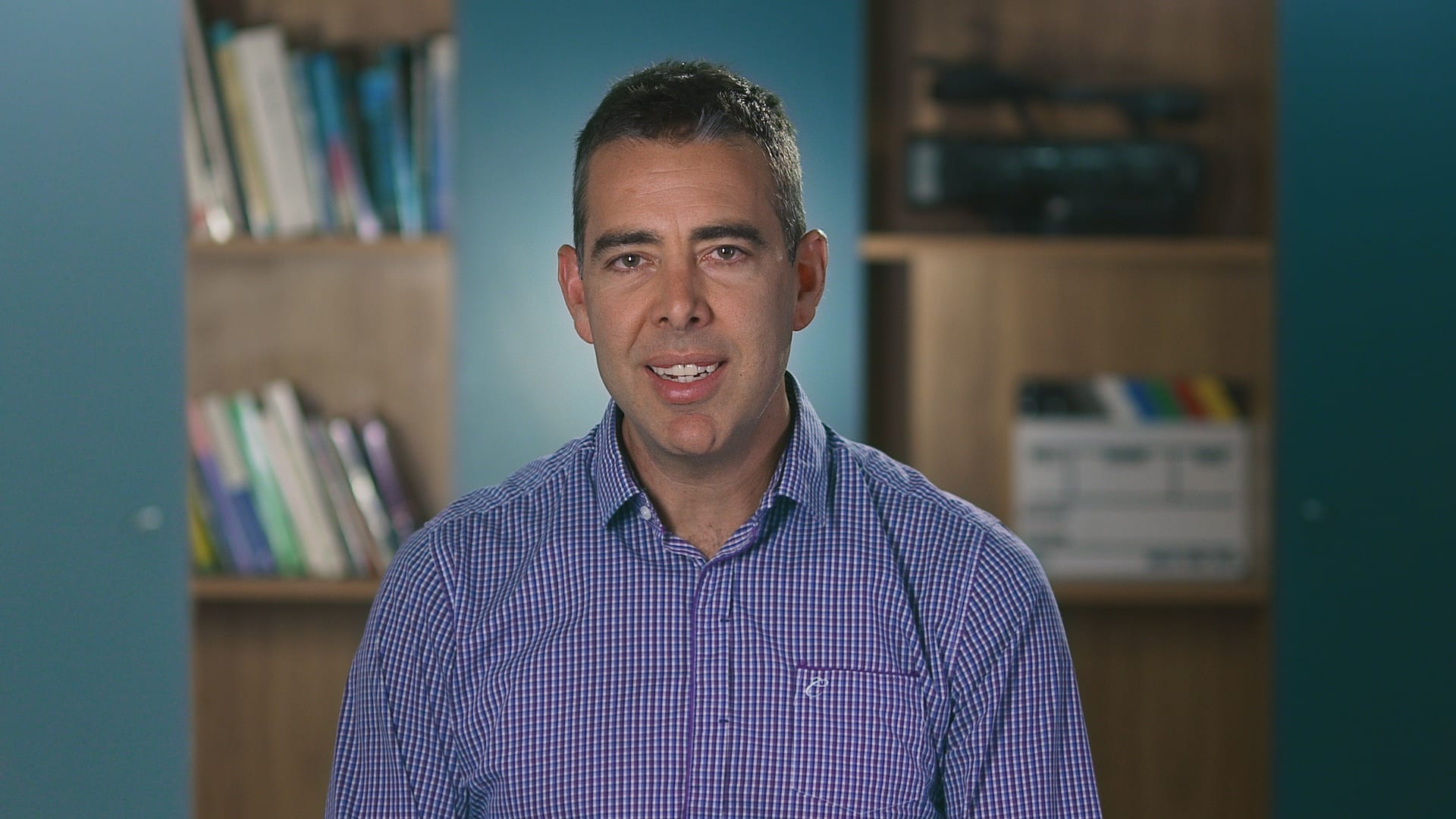
Ryan Spanger is the founder and managing director of Dream Engine, a Melbourne video production company established in 2002. Over the past two decades, he’s produced hundreds of videos for businesses, government departments, universities and healthcare organisations across Australia. Ryan specialises in helping organisations explain complex ideas through clear, engaging video content, with particular experience in corporate communications, training and education.