
Present information clearly
Build diagrams, text, data or product imagery around a presenter so viewers can see what they are talking about.
Video production company in Melbourne, Australia.
Dream Engine provides green screen video production in Melbourne, from planning and filming through to keying and the finished background. We can bring a compact setup to your office or use a larger studio when the shoot needs more space.

Green screen at Dream Engine
Green screen works best when the background is part of the idea, not something added at the end.
It can place a presenter inside a branded design, make room for diagrams and motion graphics, or help us create several versions without rebuilding a set. We handle the full process, from deciding whether green screen is the right approach through to filming, directing, keying and the finished background.
Broadband Solutions: Bandwidth on Demand. A green-screen website video produced by Dream Engine.
The basic idea
Green screen is a filming technique that lets us remove a coloured background and replace it in post-production. This is called chroma keying. The replacement might be a branded design, a real location, data and statistics, product imagery or motion graphics.
Good results depend on how the scene is planned and filmed. The screen needs to be evenly lit, the presenter needs enough distance from it, and we need to understand the basic layout and lighting of the final background before we shoot. It does not need to be finished at this stage.
Chroma key: using colour to separate the presenter from the screen.
Keying: removing the green background in post-production.
Spill: green light reflected onto hair, skin or clothing.
We recommend green screen when it gives the video something a real location cannot provide, or when it makes a larger production easier to manage.
Build diagrams, text, data or product imagery around a presenter so viewers can see what they are talking about.
Give a series of training, internal communication or presenter videos the same background. It can also be a practical way to film several presenters or versions in one controlled setup.
Place a person inside a designed environment or a setting that would be impractical, expensive or impossible to film for real.
Green screen is not automatically the best option. If your office, workplace or customer environment adds credibility to the story, filming on location may feel more natural and require less post-production. We will tell you which approach we think will work better.
A clean key starts well before the edit. We plan the background, framing, lighting and presenter’s movement together so the elements work as one finished shot.
We keep the presenter far enough from the screen to reduce shadows and green spill. We also make sure the screen covers the area behind the presenter throughout the shot, stays smooth and gives them room to move.
Wardrobe matters. Green clothing can disappear with the background, while reflective jewellery or glasses may pick up the colour of the screen. We talk this through before the shoot so there are no surprises on the day.
We record with the camera settings and colour information needed for clean keying, check the edges around hair and clothing, and monitor the result while we are filming. Getting this right on set saves time in post-production and produces a more natural result.
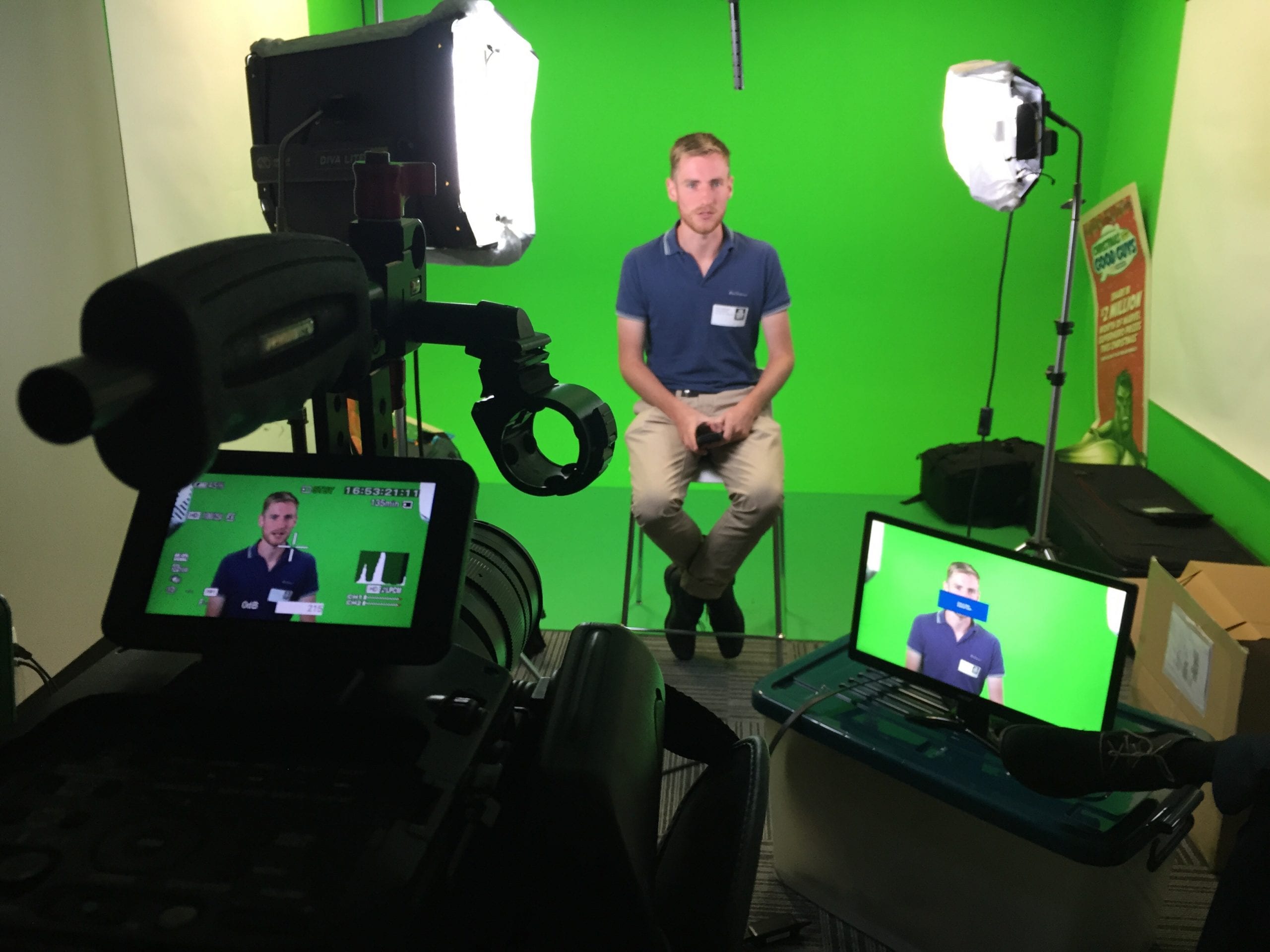
We light the green screen separately from the presenter. The screen needs to be even, while the presenter needs lighting that suits the background we will add later.
Enough distance between the presenter and screen helps prevent shadows and spill. It also gives the editor cleaner edges around hair and clothing. At the same time, the light on the presenter needs to match the direction, softness and colour of the intended background. If those elements disagree, the finished shot will feel artificial even when the key itself is clean.
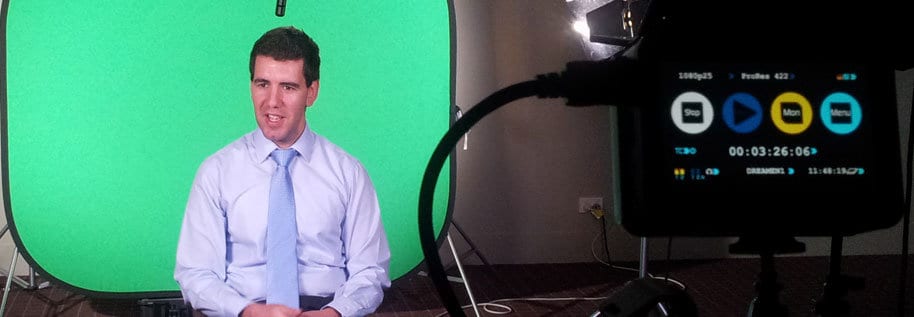
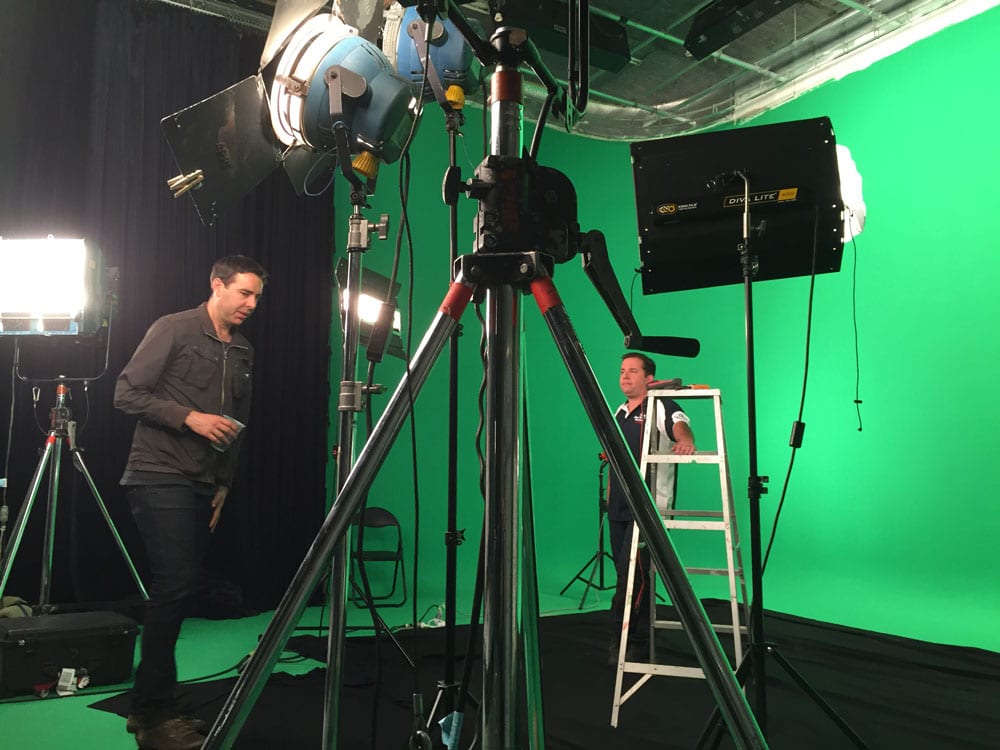
For a portable office setup, we control daylight and room lighting as much as we can. In a studio, we have more space to separate the lights and accommodate wider shots, movement or several people.
A green-screen presenter may need to point to a graphic or leave space for information that is not visible while they are filming. We plan where those elements will sit, then direct the presenter’s eyeline, gestures and position in the frame.
We also help with delivery, pace and natural movement. If the script is detailed, an autocue can help the presenter speak directly to camera while keeping the wording accurate.
Both can work. The right choice depends on the framing, number of presenters, amount of movement, sound and how much control the background needs.
Post-production
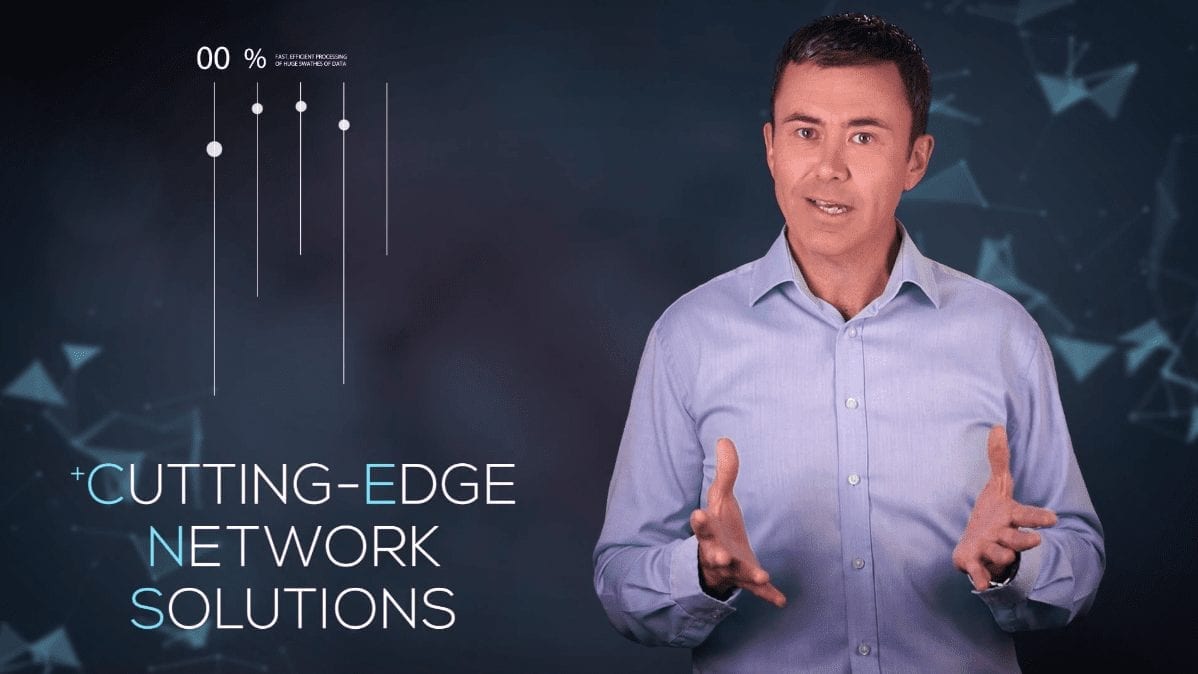
After filming, we remove the green, refine the edges around the presenter and reduce any remaining spill. We then add the background and match its perspective, light, colour and movement to the person on screen.
The background should help explain the content, not just fill space. It might include branded design, product images, diagrams, location footage or motion graphics. Planning it before the shoot lets us compose the presenter correctly and makes the finished result feel deliberate.
Common problems
Uneven light, creases, shadows or gaps in the screen behind the presenter make a clean key harder.
Green clothing, reflected colour, limited separation or fine detail around hair can create visible edge problems.
Unplanned eyelines, gestures or framing can put the presenter in the wrong place once graphics are added.
A background with the wrong perspective, lighting or scale makes the person look pasted in. A generic background can also make the whole approach feel unnecessary.
Frequently asked questions
Often, yes. We need enough room to separate the presenter from the screen and enough control over light and sound. Send us photos or a short video of the room and we can tell you whether a portable setup will work.
A studio is usually better for full-body framing, movement, several presenters, large props or a wide background. It also provides more control over lighting and sound.
It shouldn’t. The result depends on good lighting, enough distance from the screen, clean keying and a background that matches the shot. If we think a real location would look more natural, we’ll tell you.
It does not always need to be final, but we should know its layout, perspective, lighting direction and where text or graphics will appear. That lets us frame and direct the presenter correctly.
Yes. We can manage the complete job, including planning, filming, presenter direction, sound, keying, motion graphics, background design and final delivery.
Tell us what you need to film, how many presenters are involved, where you would like to shoot and what the finished background needs to do. We will explain the best approach and what the filming and post-production will involve.
