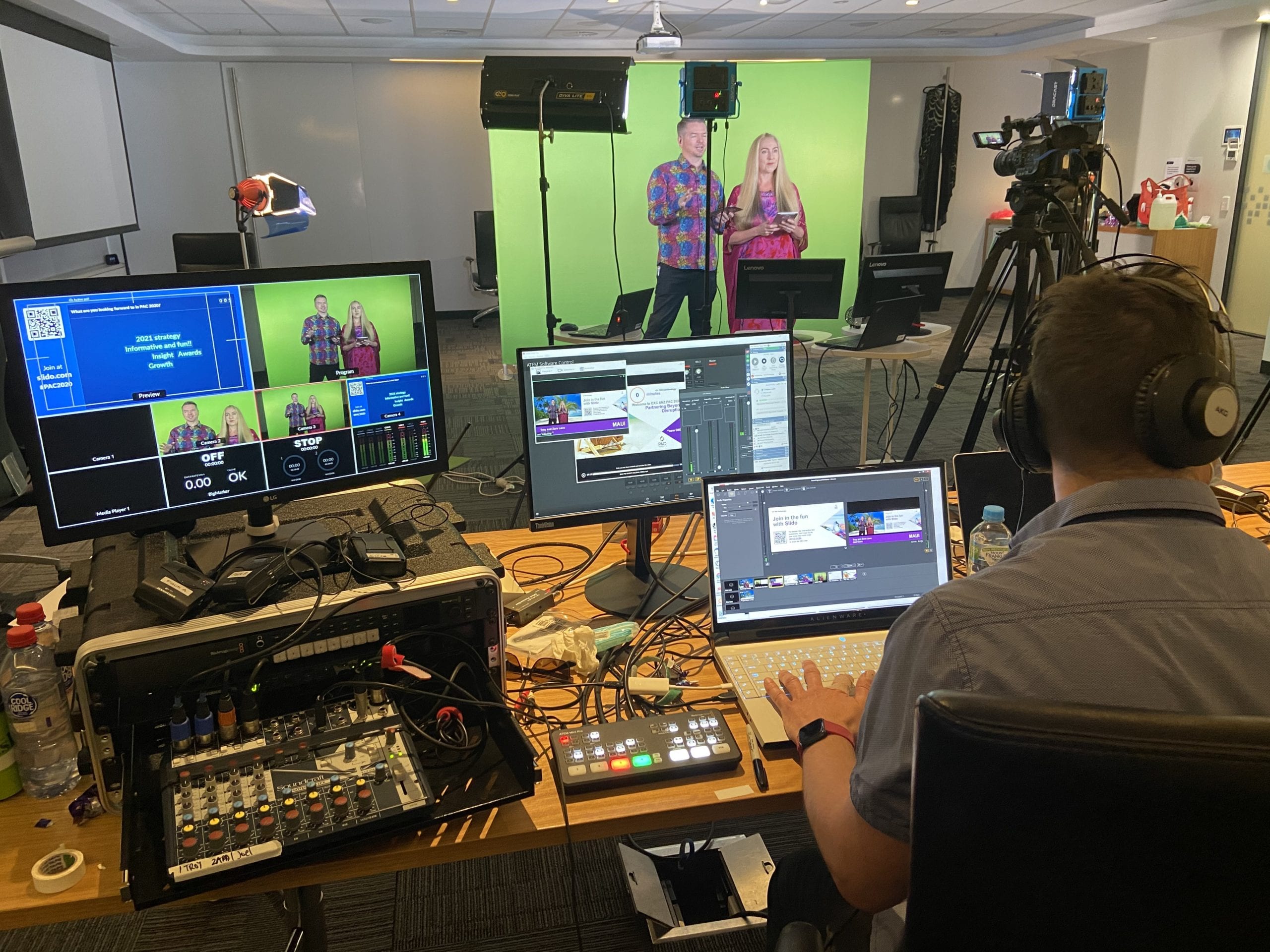
Corporate awards events are often built around recognition, connection and shared celebration. But not everyone who matters can always be in the room. Team members may be interstate, sponsors may be overseas, tickets may sell out, or the venue may not have enough capacity for everyone who wants to attend.
This is where live streaming can play a valuable role. A well-planned awards event live stream allows remote viewers to follow the ceremony, hear the speeches, watch the award presentations and feel part of the occasion. It also gives your organisation a high-quality recording that can be used after the event for internal communications, social media, sponsor updates or future promotion.
Dream Engine has been filming and live streaming conferences, awards nights, presentations and corporate events for more than 20 years. The advice in this guide is based on lessons learned from hundreds of corporate events, awards nights and hybrid productions.
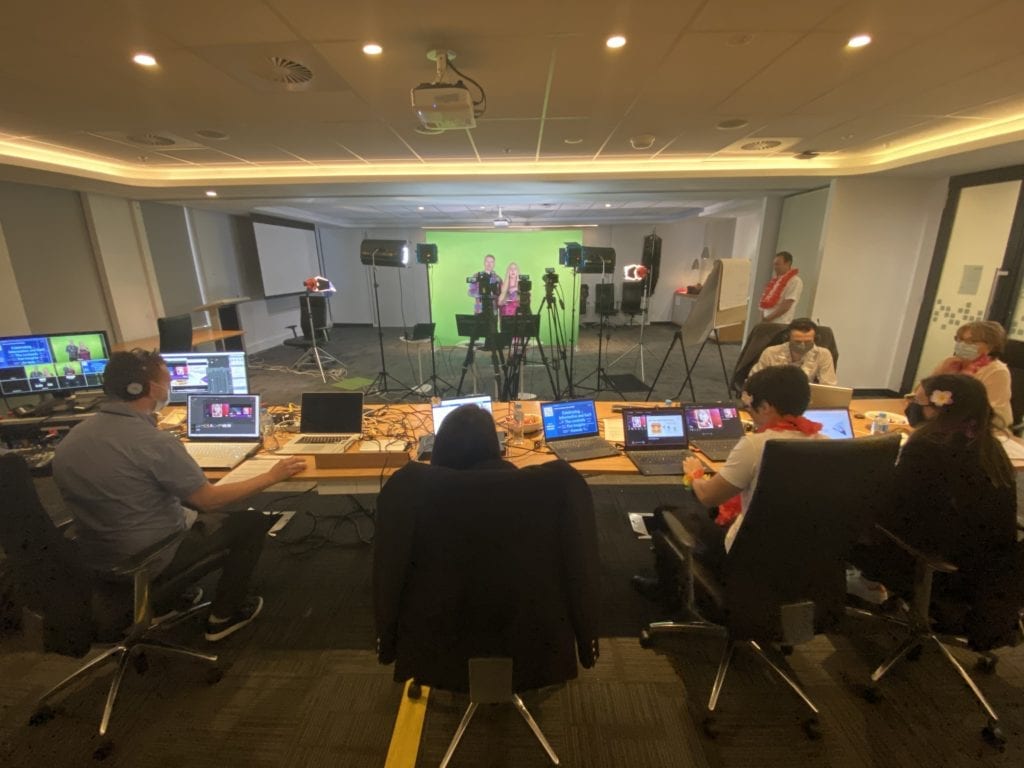
Why Live Stream a Corporate Awards Event?
Awards events often involve employees, partners, sponsors, board members and stakeholders spread across different locations. Live streaming allows these people to participate without the cost, time and logistics of travel. It can also extend the reach of the event beyond the number of people who can physically fit into the venue.
For national organisations, this can be especially useful. A Melbourne awards night can still be watched by people in Sydney, Brisbane, Perth, Adelaide or regional areas. Remote team members can see their colleagues recognised, senior leaders can address the whole organisation, and sponsors can receive more value from their involvement.
A professional live stream also creates a useful record of the event. The full recording can be shared with people who could not attend, while shorter clips can be edited for internal updates, LinkedIn posts, recruitment content, sponsor reporting or future event promotion.
Awards Events Are Increasingly Hybrid
Many organisations now run awards events as hybrid events, with both an in-room audience and an online audience. This allows guests to attend in person where possible, while still making the event accessible to interstate staff, remote workers, partners, sponsors and other stakeholders.
A hybrid approach also gives your organisation more flexibility. If tickets sell out, online access can still be offered. If a speaker or award recipient cannot travel, they may be able to join remotely. If the event has national significance, the live stream helps the ceremony reach beyond the room.
The key is to treat the online audience as part of the event, not as an afterthought. That means planning the camera coverage, audio, graphics, platform, run sheet and presenter cues with remote viewers in mind from the start.
Planning Your Awards Event Live Stream
Before the event, it helps to work through the main practical questions. These decisions affect the size of the crew, the number of cameras, the technical setup, the platform, the run sheet and the overall budget.
- How many people are expected to watch online?
- Will viewers need to register before accessing the stream?
- Will the event be public, private or password protected?
- Will award winners or presenters join remotely?
- Will you need slides, sponsor logos, lower thirds or holding graphics?
- Will there be pre-recorded videos played during the ceremony?
- Do you want a full recording after the event?
- Do you need shorter social media clips or behind-the-scenes content?
- Will there be audience questions, live chat or interaction?
- How much rehearsal and testing time is available before guests arrive?
Answering these questions early helps avoid problems on the day. It also gives your production team enough time to prepare the right equipment, test the venue setup and make sure the online viewer experience matches the importance of the event.
Choosing the Right Streaming Platform
The best streaming platform depends on your audience, security requirements and how you want people to access the event. Some organisations want a simple public stream that anyone can watch, while others need a private event limited to employees, members, clients or invited guests.
Popular options include YouTube, Vimeo, Microsoft Teams, Zoom Webinar and dedicated event platforms. Each offers different features, such as registration pages, password protection, audience interaction, analytics and on-demand viewing after the event has finished.
It is worth deciding on the platform early in the planning process. The platform can affect registration workflows, audience communication, branding options and technical setup on the day. An experienced live streaming team can help you choose the option that best suits your audience and event goals.
What Every Corporate Awards Stream Needs
Live streaming can look simple to the viewer, but there are many moving parts behind the scenes. Cameras, microphones, lighting, graphics, internet, switching, streaming software and platform settings all need to work together at the same time.
Awards events also move quickly. A presenter walks on stage, an award is announced, the winner reacts, the camera needs to find them, the microphone needs to capture their speech, and the online audience needs to see and hear it clearly. There are no second takes once the event is live.
Reliable Internet and Backup Systems
A stable internet connection is one of the most important parts of any live stream. Venue Wi-Fi is rarely enough on its own, especially when hundreds of guests may also be using the same network. A wired connection should be tested before the event wherever possible.
It is also worth planning backup options. This may include a bonded internet solution, mobile data backup, spare cables, backup audio paths, backup recording and spare technical equipment. Most viewers will never know these systems are in place, but they matter when something unexpected happens.
A stream that drops out or loses audio can undermine the experience for online viewers. For a more detailed look at planning and testing, see our guide on running a reliable live stream event.
Clear Audio
Audio is often more important than picture quality in a live stream. If viewers cannot clearly hear the host, presenters, award recipients or video playback, they will quickly lose confidence in the event.
For awards nights, audio may need to come from lectern microphones, handheld microphones, lapel microphones, the venue sound desk and video playback sources. These all need to be tested before the event begins. A professional crew will also monitor the audio throughout the stream rather than assuming it is working.
Multi-Camera Coverage
A single camera can work for a basic presentation, but most awards events benefit from a multi-camera setup. This allows the stream to cut between the host, the stage, award recipients, wide room shots and audience reactions.
Good camera coverage helps the online audience feel more connected to the event. Instead of watching a static wide shot for two hours, they see the moments that matter: the announcement, the reaction, the walk to the stage, the speech and the atmosphere in the room.
Graphics, Slides and Branding
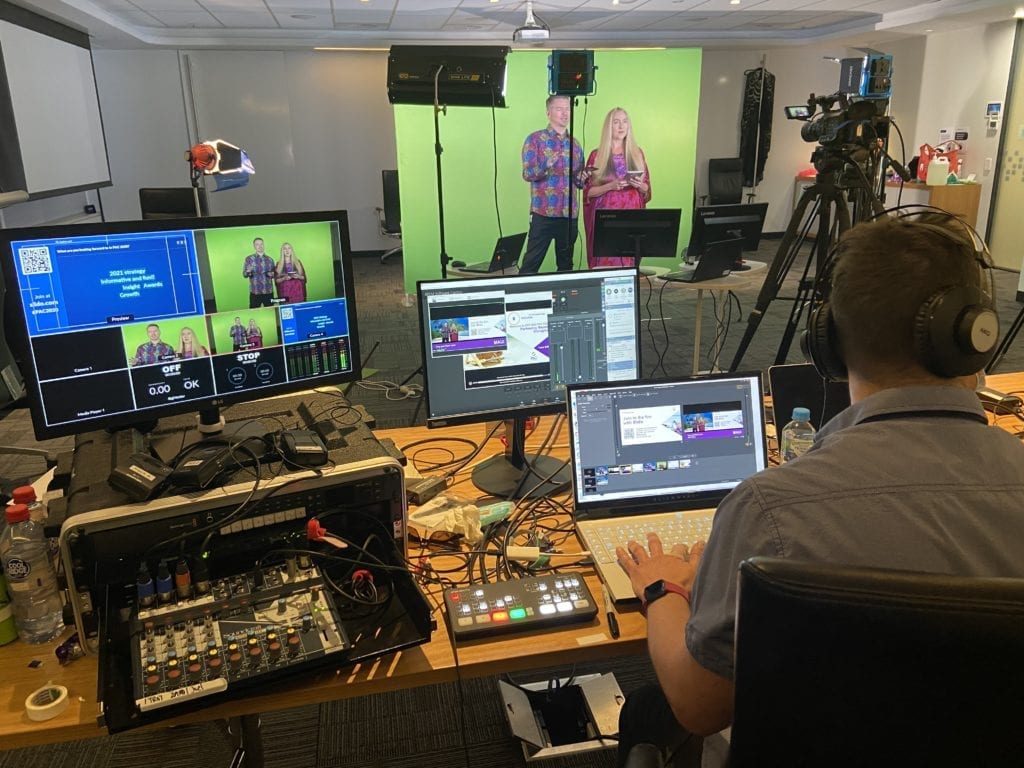
Corporate awards events often include sponsor logos, award category slides, winner names, lower thirds, pre-recorded videos and holding graphics. These elements need to be prepared and tested before the event.
Clear graphics help the online audience follow the ceremony. They also make the live stream feel more polished and consistent with the organisation’s brand. This is especially important when sponsors, partners or senior stakeholders are watching.
Rehearsal and Run Sheet Preparation
A detailed run sheet is essential for a professional awards stream. The production team needs to know when each award is being announced, who is speaking, when videos are being played, when slides are changing and whether any remote presenters are joining.
A rehearsal or technical run-through helps identify issues before the audience arrives. It gives presenters a chance to understand the flow, allows the crew to test cues, and helps everyone feel more confident once the event begins.
A rehearsal or technical run-through helps identify issues before the audience arrives. It gives presenters a chance to understand the flow, allows the crew to test cues, and helps everyone feel more confident once the event begins. If you’re interested in the preparation that happens before the audience arrives, read our guide on what happens before a live stream.
A Team That Reduces Stress
Corporate events involve presenters, technical cues, timing, last-minute changes and people who may not be familiar with live production. An experienced live streaming team takes responsibility for the technical side so your internal team can focus on hosting the event.
This includes camera operation, audio management, live switching, graphics, streaming platform setup, testing, recording and troubleshooting. When these details are handled properly, the event feels smoother for both the in-room audience and the online audience.
A Team with Proven Experience
Experience becomes especially important when live streams involve multiple presenters, remote viewers, changing stage conditions or a mix of live and pre-recorded content. These events often require many small decisions before and during the broadcast.
An experienced crew knows what to test, what can go wrong, where backup systems are needed and how to adapt if something changes during the event. Technology matters, but experience is often what turns a technically functional stream into a professional viewing experience.
Case Study: AUSactive National Awards
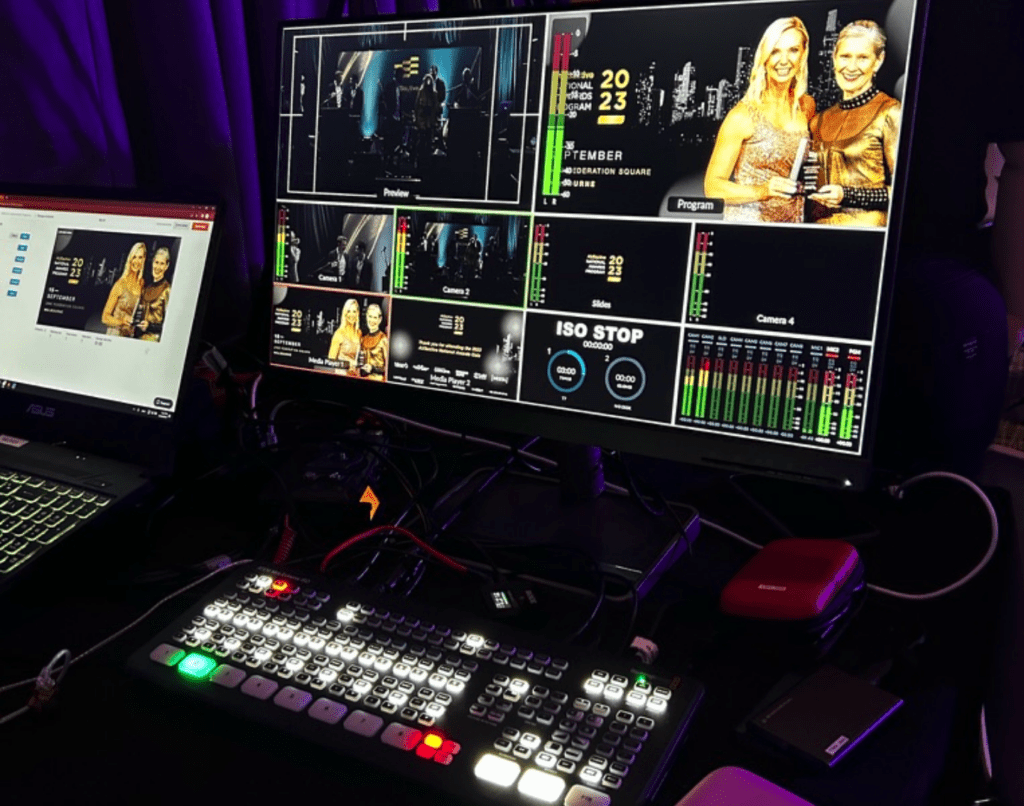
Dream Engine delivered hybrid event video production for the AUSactive National Awards in Melbourne. As a national organisation, AUSactive had members across Australia who were unable to travel to the event. Tickets also sold out, which made online access an important part of the audience experience.
The event included both an in-room audience and a national online audience, requiring the production team to manage multiple cameras, audio feeds and live distribution simultaneously. Our role was to help the event work for both the people in the room and the people watching remotely. This required more than simply placing a camera at the back of the venue. The stream needed clear coverage of the awards ceremony, reliable audio, professional switching and a smooth experience for viewers outside the room.
Dream Engine provided:
- Multi-camera live coverage of the awards ceremony
- Live streaming to a national audience
- Full event recording for post-event use
- Behind-the-scenes content for social media
The result was an event that worked well for in-room guests and remote viewers. AUSactive was able to include a wider national audience while also creating useful video content that could continue to support the organisation after the awards night had finished.
Common Live Streaming Mistakes at Awards Events
Many live stream problems can be avoided with better planning. The most common issues are usually not caused by one large technical failure. They are caused by small details being missed before the event starts.
- Relying on venue Wi-Fi without testing it properly
- Using one static camera for a long ceremony
- Not capturing clean audio from presenters and award recipients
- Leaving too little time for setup, rehearsal and testing
- Forgetting to prepare slides, logos and holding graphics
- Not planning for remote presenters or online audience access
- Failing to record a high-quality version of the event
- Having no backup plan if internet, audio or equipment fails
The best way to prevent these problems is to involve your production team early. They can review the venue, check the run sheet, test the internet, confirm the technical requirements and advise on the most suitable setup for your event.
What Happens After the Live Stream?
The value of an awards event does not need to end when the live stream finishes. A high-quality recording gives your organisation a useful content asset that can be used in several ways after the event.
You may choose to share the full recording with people who could not attend, edit highlights for internal communications, create short clips for social media, provide content to sponsors, or use selected moments to promote next year’s event. Planning this before the event helps make sure the right moments are captured properly.
Further Reading
If you are planning a corporate awards event, it may also be useful to review related resources before choosing your production approach. Each event has different requirements depending on the audience, venue, platform, run sheet and budget.
If you would like help planning the technical side of your awards event, Dream Engine can advise on the live stream setup, camera coverage, recording, platform options and post-event video content, learn more about our live streaming services.
Frequently Asked Questions
How do you live stream a corporate awards event?
A professional awards event live stream usually involves cameras, microphones, lighting, graphics, live switching, recording, internet testing and streaming platform setup. The crew manages the technical side of the event so presenters can focus on hosting and viewers can watch without disruption.
How many cameras do you need for an awards event?
Most awards events work best with two or three cameras. This allows the stream to show the host, the stage, award recipients and audience reactions. A single camera may be suitable for a simple presentation, but it can feel limited for a longer ceremony.
Can you live stream an awards event to viewers interstate or overseas?
Yes. A live stream can be viewed by people in different cities, states or countries, depending on the platform and access settings. The stream can be public, private, password protected or limited to registered viewers.
Can remote presenters or award winners join the live stream?
Yes. Remote presenters, speakers or award winners can be brought into the live stream if this is planned in advance. This requires testing their audio, camera, internet connection and joining process before the event begins.
What equipment is used for live streaming an awards event?
A professional setup may include broadcast-quality cameras, microphones, lighting, a video switcher, graphics system, encoder, monitors, recording equipment, wired internet and backup systems. The exact setup depends on the venue, audience size, run sheet and production requirements.
How long does setup take for an awards event live stream?
Most events require at least two to three hours for setup and testing. Larger awards events may need more time, especially if there are multiple cameras, complex audio requirements, remote presenters, sponsor graphics or pre-recorded videos.
Do we receive a recording after the event?
Yes. A high-quality recording can be supplied after the event. This can be used for internal communications, social media clips, sponsor updates, event highlights, award recaps or future promotion.
How much does it cost to live stream a corporate awards event?
The cost depends on the crew size, number of cameras, event duration, venue setup, graphics, streaming platform, recording requirements and post-event editing. A simple stream will cost less than a multi-camera hybrid event with remote presenters, sponsor content and edited highlights.

Ryan Spanger is the founder and managing director of Dream Engine, a Melbourne video production company established in 2002. Over the past two decades, he’s produced hundreds of videos for businesses, government departments, universities and healthcare organisations across Australia. Ryan specialises in helping organisations explain complex ideas through clear, engaging video content, with particular experience in corporate communications, training and education.