If you’re organising an event, presentation, or announcement, one question often comes up early in the planning process: should you use Zoom, or do you need professional live streaming?
Many organisations assume Zoom and professional live streaming are basically the same thing, but they’re not. Both can deliver video to an audience, but they’re designed for very different purposes. Understanding the difference can help you choose the right setup, create a better experience for your audience, and avoid technical headaches on the day.
A quick clarification before we start
You can run a professional live stream using Zoom. That itself isn’t the issue. Many high-quality live streams use Zoom as part of the workflow. Problems tend to appear when Zoom is treated as the entire solution, rather than one tool inside a broader production setup. That distinction is important.
Another important consideration is the platform itself. While this article focuses on the differences between Zoom and professional live streaming, organisations also need to decide whether platforms such as Microsoft Teams, Vimeo, YouTube Live or specialist webinar platforms may be a better fit for their audience and event requirements. You can read our guide on how to choose the right livestream platform for a broader comparison.
What Zoom is designed to do well
At its core, Zoom is a meeting platform. It works best when people are there to talk to each other. Team meetings, workshops, planning sessions, client catch-ups, and collaborative discussions are exactly what it was built for.
Everyone is a participant. Interaction matters more than presentation. And if something glitches, it’s inconvenient, but rarely critical. In those situations, Zoom is often the simplest and most sensible choice, and can also be a good choice for running a webinar.
What professional live streaming is designed for
Professional live streaming services are designed around a broadcast mindset. Instead of many people talking to each other, there are presenters and an audience. The focus moves from convenience to experience, and from participation to presentation.
This approach is typically used for conferences, corporate town halls, AGMs, leadership updates, public announcements, and large training sessions. These are moments when the event directly reflects on the organisation and when a technical failure carries real consequences.
Zoom vs Live Streaming: A Quick Comparison
| Feature | Zoom | Professional Live Streaming |
|---|---|---|
| Primary purpose | Meetings and collaboration | Broadcast-style events |
| Audience size | Small to medium | Medium to large |
| Production control | Limited | High |
| Graphics and branding | Basic | Extensive |
| Backup systems | Usually limited | Typically included |
| Viewer experience | Meeting-style | Broadcast-style |
| Best suited for | Workshops, meetings, collaboration | Conferences, AGMs, town halls, announcements |
How Zoom fits into a professional live stream
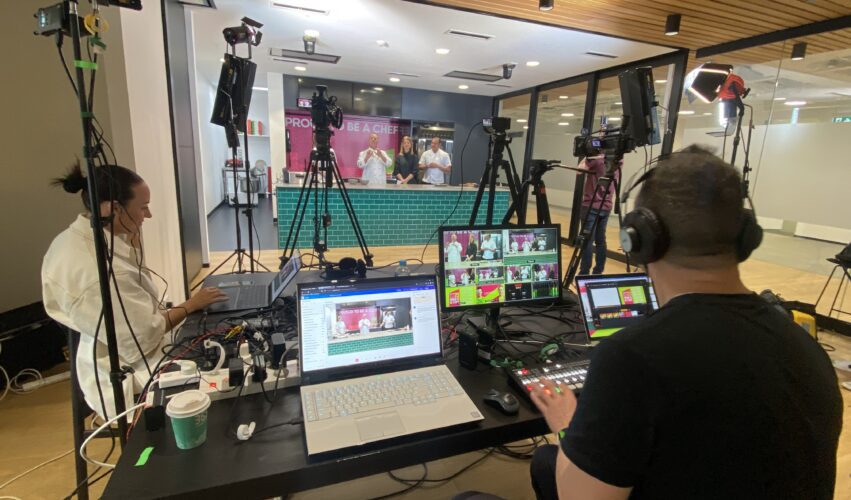
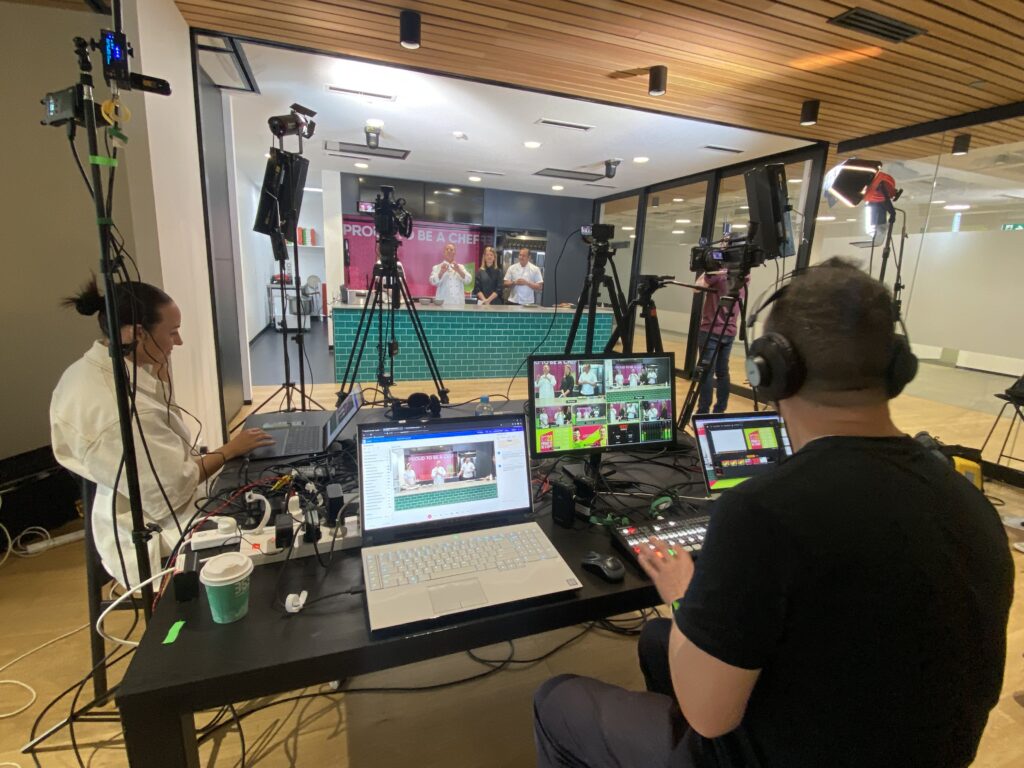
In a professional setup, Zoom often sits quietly in the background. Speakers may join via Zoom from different locations. Their video and audio are captured and managed externally. A production team controls switching, audio mixing, graphics, and what the audience ultimately sees. The final program is streamed as a clean, stable broadcast.
From the audience’s point of view, it doesn’t feel like a Zoom meeting at all.
Issues usually arise when Zoom is asked to do everything at once. Act as the meeting room, the switcher, the audio mixer, the broadcast platform, and the single point of failure. That’s when quality becomes unpredictable and risk increases.
Where the experience starts to feel different
One of the first differences people notice is how it feels to watch. A Zoom meeting can feel inconsistent. Layouts change. Audio levels vary. The platform decides who appears on screen and when.
A professionally produced live stream feels intentional. Cameras are chosen deliberately. Slides and graphics appear cleanly. Audio is consistent and monitored throughout. The experience feels closer to a broadcast than a meeting, which changes how the event is perceived.
Reliability and risk
This is often the deciding factor. A Zoom-only setup usually relies on a single computer, one internet connection, and user-managed settings. For low-stakes meetings, that’s fine.
Professional live streaming takes a more cautious approach. Wired internet connections are preferred. Backup connections are prepared. Audio and video paths are duplicated. Systems are tested in advance, and rehearsals are run so issues are found early, not live.
The aim is to reduce the chance of something going wrong when it really matters.
Audio and visual control
Audio is where many Zoom events struggle. Zoom is optimised for conversation, not production. It compresses sound heavily and can struggle with panel discussions, multiple microphones, or more complex setups.
In a professional live stream, audio is mixed properly and monitored continuously. Visuals are also controlled, from camera angles to branding elements and pre-recorded inserts. That level of control has a big impact on how professional the event feels.
When Zoom on its own is enough
There are plenty of situations where Zoom is still the right answer. If the audience is small, the event is internal, and interaction is the main goal, Zoom keeps things simple.
Examples might include weekly team meetings, internal workshops, collaborative planning sessions, client catch-ups, or small training sessions where discussion is more important than presentation quality.
If visual polish isn’t critical and a technical issue wouldn’t cause reputational damage, there’s no need to overcomplicate things.
When live streaming is the better fit
Live streaming is usually the better option when the audience is large or external, when leadership is presenting, or when the event represents your organisation publicly.
For example, a 15-person planning workshop is usually well-suited to Zoom. A CEO delivering a company-wide update to hundreds of staff across multiple locations is often better handled as a professionally produced live stream.
It’s also the safer choice when the content needs to be recorded and reused, or when you simply want confidence that it will run smoothly. Many organisations only learn this distinction after pushing a Zoom meeting beyond what it was designed to handle.
Cost is another factor that often influences the decision. While Zoom can be extremely economical for meetings and smaller webinars, professional live streaming involves additional planning, equipment, crew and redundancy systems designed to reduce risk. If you’re budgeting for an upcoming event, our guide to live streaming costs explains the main factors that influence pricing.
A simple way to decide
Instead of asking “Zoom or live streaming?”, it’s often more useful to ask one question: What happens if it goes wrong?
If the answer is “not much,” Zoom may be enough.
If the answer is “this really matters,” a professional live streaming approach is usually the safer choice.
You may find our article on what happens before a live stream helpful if you’re planning a higher-profile event and want to reduce risk.
If you’re planning an event and want confidence that it will run smoothly, learn more about our Live Streaming Melbourne service. We provide professional live streaming for conferences, webinars, town halls, AGMs and corporate events across Australia.
Can Zoom be used for professional live streaming?
Yes. Zoom can be used as a way for presenters or speakers to join remotely. In a professional setup, Zoom is treated as an input, while the audience watches a separate broadcast stream that is produced, monitored, and controlled externally.
Is Zoom reliable enough for important events?
Zoom is generally reliable for meetings. For higher-visibility events, reliability depends on the overall setup, including internet stability, backup connections, monitoring, and whether the event is being produced as a broadcast rather than a meeting.
What’s the simplest way to choose between Zoom and live streaming?
A useful question to ask is what happens if it goes wrong. If a glitch would be a minor inconvenience, Zoom may be enough. If the event carries reputational risk or needs to run smoothly end to end, live streaming is usually the safer choice.
Is live streaming only for very large audiences?
No. Live streaming is often used for smaller audiences when the event matters, such as leadership updates, AGMs, investor communications, or public-facing announcements.
Can Zoom and live streaming be used together?
Yes. This is a common approach. Speakers can join via Zoom while the audience watches a separate broadcast stream. When done properly, this provides a smoother viewing experience and more control over quality and reliability.
Next Step
If you’re planning a live stream in Melbourne and want to talk through what setup actually makes sense for your event, we’re always happy to help you think it through properly.
Ryan Spanger is the founder and managing director of Dream Engine, a Melbourne video production company established in 2002. Over the past two decades, he’s produced hundreds of videos for businesses, government departments, universities and healthcare organisations across Australia. Ryan specialises in helping organisations explain complex ideas through clear, engaging video content, with particular experience in corporate communications, training and education.