In this guide
To turn one event into a library of marketing content, decide which finished pieces you will use before filming begins. A highlights film, speaker clips, interviews and photographs each need time in the schedule and room in the editing budget.
At Dream Engine, we plan corporate event coverage around those outputs. The examples below show how different events can provide useful material after the day.
Look beyond a single highlights video
Many organisations treat their conference video as a one-off deliverable: a single highlight reel, often rushed out right after the event.
A highlights film may be all you need. When there are other uses, identify them in advance: an attendee interview, a speaker explaining one idea, a training demonstration or footage for future promotional videos. Each needs suitable pictures, sound and context.
Choose the pieces your team has a reason to publish or use internally. Our guide to using video after an event explains how to match each format to an audience and purpose.
Plan the later edits before filming
The key to creating a library of content is to plan for it before the cameras roll. That starts with identifying what stories you will want to tell after the event.
- Will you want short social clips featuring your keynote speakers?
- Do you need client testimonials that can be used across your marketing?
- Could you capture behind-the-scenes footage for recruitment or internal comms?
When we film a corporate conference, we design the shoot around these goals. That might mean setting up an interview station for speaker soundbites, capturing crowd reactions, or recording clean audio of presentations for future use.
Examples from event productions
DXC regional Sales Kick-off
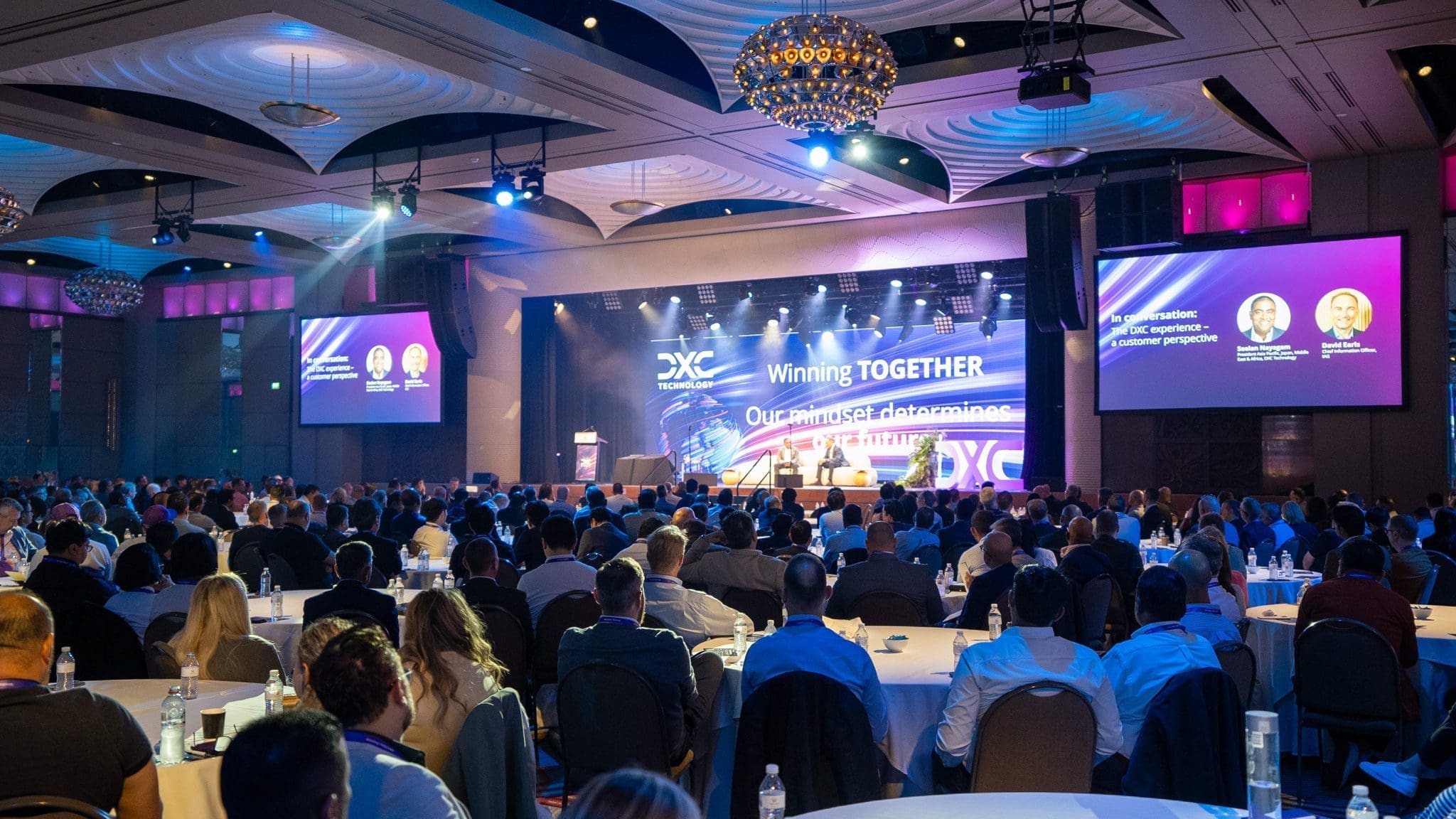
For DXC’s regional Sales Kick-off at Crown Palladium, we filmed a two-day event attended by approximately 500 employees. The deliverables included a highlights film, awards recordings, short social edits and event photography. The different outputs required coverage of complete presentations as well as reactions, networking and branded spaces.
Raising for Reach fundraising lunch
At the Raising for Reach fundraising lunch, we captured speakers, guests and the atmosphere at Gate 8. The highlights film gave Reach a way to share the day beyond the room. If you also need donor thank-you clips or other repurposed videos, specify those edits before filming so the crew can capture suitable material.
Porsche Excite! staff event
For Porsche Australia’s Excite! program, we filmed presentations, workshops and team activities at The Timber Yard. The highlights film combined those scenes with selected soundbites, giving Porsche a record of the program and material it could use for future staff training. The intended audience shaped which ideas and activities needed to appear in the edit.
Choose the outputs you will use
When an event is filmed with its later uses in mind, you can build a content library that supports multiple objectives:
- Event highlights: The classic recap video that captures the mood and key moments
- Social snippets: Short vertical videos for LinkedIn or Instagram
- Speaker soundbites: Self-contained clips that explain one idea from a presentation
- Testimonials: Capture on-the-spot client, partner or attendee interviews that can later be edited into testimonial videos that describe a specific experience.
- Training material: Recordings of workshops or presentations for internal learning
- Promotional assets: Footage that can promote future events or campaigns
An event video brief can cover both a record of the day and specific content for later use. Agree on those outputs before allocating crew time.
Plan How the Footage Will Be Used
To make this work, your production partner needs a clear brief, a filming schedule and an agreed list of edits. Check speaker, attendee and presentation permissions for each intended use, particularly when material will move from an internal event to public marketing.
At Dream Engine, we start with a content strategy call before the event to map out how the footage will be used. That discussion helps decide which sessions need complete recordings and where extra interview time is needed.
During the event, we shoot in a way that supports multiple outputs. That might mean filming a presentation from several angles for flexibility in the edit, or capturing ambient audio to reuse in social cuts.
After the event, labelled footage makes later edits easier to locate and assemble. Agree on what is included in delivery and how long files will be retained; original footage and future edits should be covered in the scope.
How to brief your video team
- Define your content goals early. Be clear about what you will need beyond the highlight reel.
- Schedule interviews during the event. Set aside time and space for quick soundbites from speakers or attendees.
- Plan for different formats. Think horizontal for presentations and vertical for social.
- Ask about footage delivery. Agree on whether original footage, selected clips or finished edits are included, along with file formats, storage arrangements and any additional delivery charges.
- Consider sound. Clean audio from presentations and interviews expands your repurposing options.
Our event video planning guide covers venue access, sound and camera coverage. If a film must be screened before attendees leave, read the same-day edit guide and plan that deadline separately.
Make room for the editing
Planning several useful edits from one event can reduce the need for separate shoots. The value depends on what you can capture, the editing required and whether your team has a clear use for each finished piece.
The Schoolbox event case study shows how a highlights film and shorter videos can be planned around future promotion. If stills are also required, brief the event photographer alongside the video crew.
Start with the event run sheet and a short list of the videos you will actually use. That gives the production team enough information to recommend coverage and price the editing.
Browse our event filming guides and project examples for related planning advice.
Frequently asked questions
Planning a library of event content
Answers about coverage, interviews and later edits.
How much filming time do I need for a corporate conference?
The time and crew depend on the sessions you need recorded and whether interviews or activities happen at the same time. Share the run sheet and intended edits before deciding on coverage. A single camera operator cannot record an uninterrupted presentation and an interview in another room simultaneously.
Can you film both the conference and short interviews on the same day?
Yes, with time, space and crew allocated for both. We can arrange a quieter interview area and book short slots with speakers or attendees between sessions. Protect any presentation recording that needs uninterrupted coverage.
What is the best way to repurpose conference footage?
Start by creating a highlight video to capture the energy of the event. From there, short clips can be cut for use on social media, future event promotion, internal communications, or as training resources. Planning this before filming helps your video team capture everything you will need.
Can you help plan the content strategy before the event?
Yes. Before we film, we meet with your team to understand your goals and outline how the footage will be used. We can then plan the coverage and editing around the content your team actually needs after the conference.

Ryan Spanger is the founder and managing director of Dream Engine, a Melbourne video production company established in 2002. Over the past two decades, he’s produced hundreds of videos for businesses, government departments, universities and healthcare organisations across Australia. Ryan specialises in helping organisations explain complex ideas through clear, engaging video content, with particular experience in corporate communications, training and education.